Can you install a standard motherboard in a back-connect PC case? Yes.
A back-connect case is built around the same ATX, Micro-ATX, and Mini-ITX mounting standards as a traditional case, so a regular front-plug motherboard drops onto the standoffs without adapters, modifications, or special tools.
The only thing to confirm is that the case’s spec sheet lists standard motherboard support. The darkFlash FLOATRON F1 ATX and DY460 both list back-connect ATX support.
A regular board in a back-connect chassis can actually make building easier. These cases add extra cutouts around the motherboard tray and give you a deeper rear chamber, so you get more room to route 24-pin, 8-pin, and fan cables. And if you later switch to a hidden-connector motherboard, you won’t need a new case.
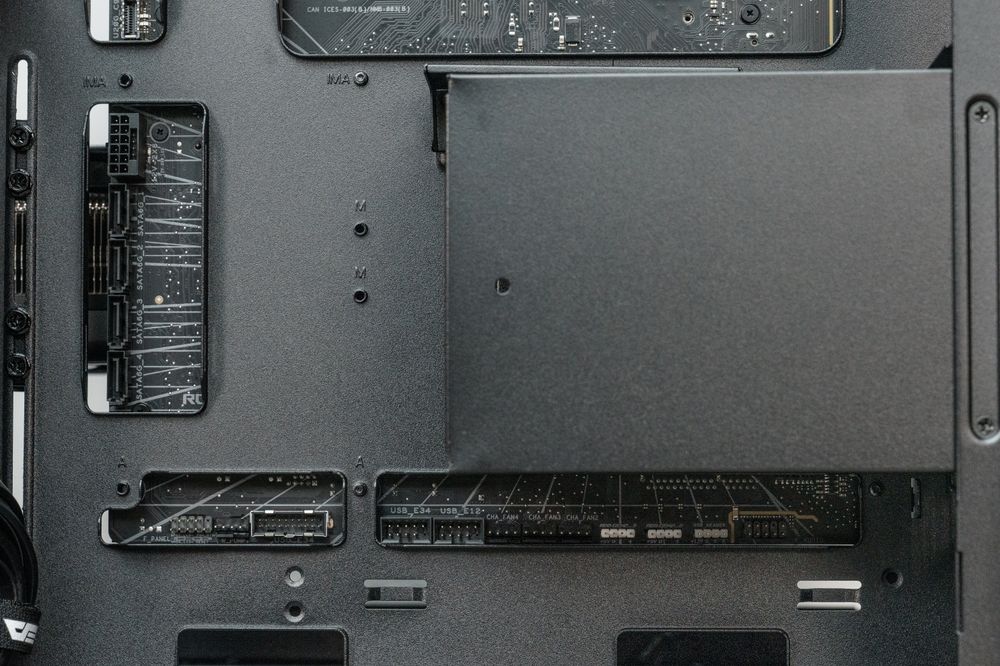
Why Standard Motherboards Fit Back-Connect Cases Seamlessly
Many first-time builders panic after ordering a sleek panoramic case that advertises “Back-Connect” or “BTF Support,” worried that an existing AMD B650/X870 or Intel Z790/Z890 board won’t mount. That worry comes from a one-way compatibility rule: back-connect cases accept both board types, but standard cases cannot accept back-connect boards.
What Changed on a Back-Connect Case
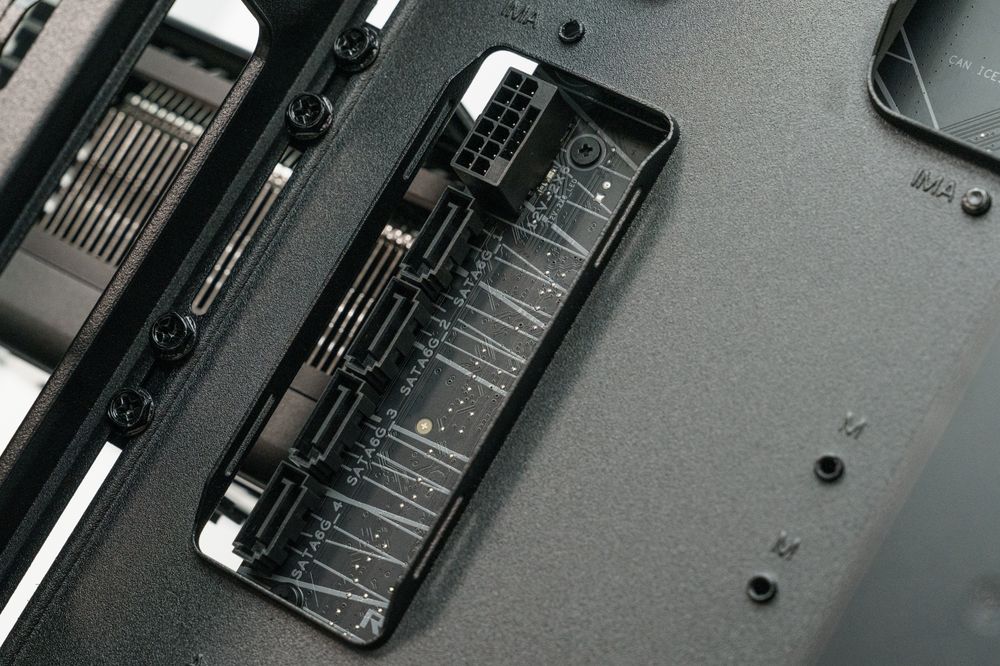
Back-connect motherboards, such as ASUS BTF, MSI Project Zero, and Gigabyte Project Stealth, move power, fan, and front-panel connectors to the rear of the PCB. To make this work, it redesigned the motherboard tray with additional slots around the perimeter that line up with the new port positions. The mounting standard itself did not change.
Why Standard Boards Don’t Care About Extra Cutouts
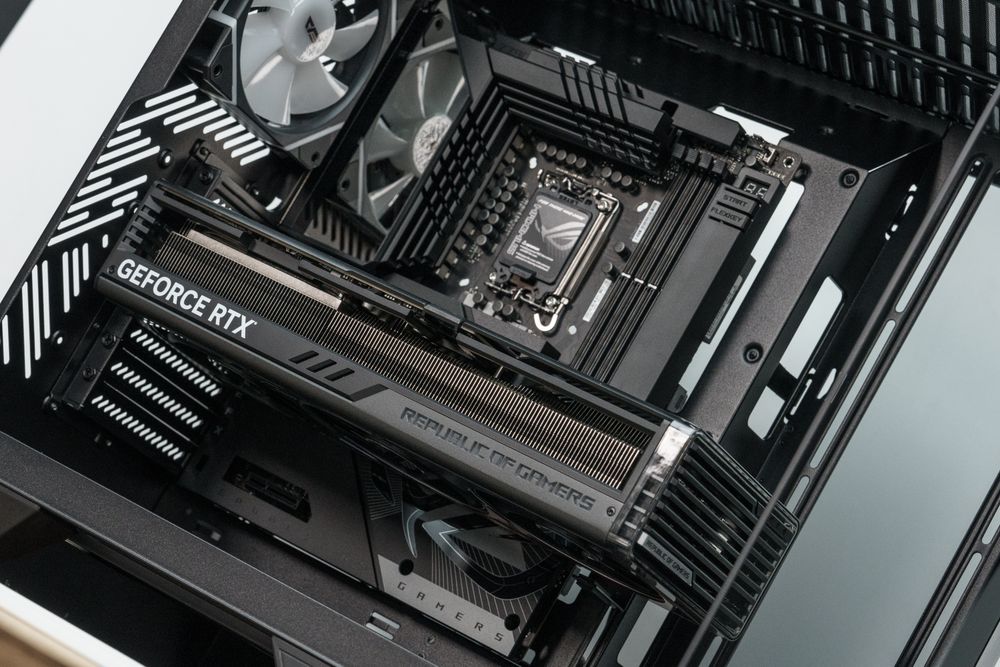
When you lay a traditional motherboard onto a back-connect tray, the solid back of the PCB simply covers those extra openings. The screw holes line up the same way, and the cutouts only add options for cable routing rather than taking anything away.
Why the Reverse Does NOT Work
A back-connect motherboard has connectors pointing out of the back of the PCB. In an older case with a solid motherboard tray, those connectors have nowhere to go, and the cables would be stopped by the side panel and forced into a sharp 90-degree bend. That is why you need a case with matching cutouts and enough rear depth for back-connect boards.
Compatibility Matrix: Motherboard Types vs. PC Case Designs
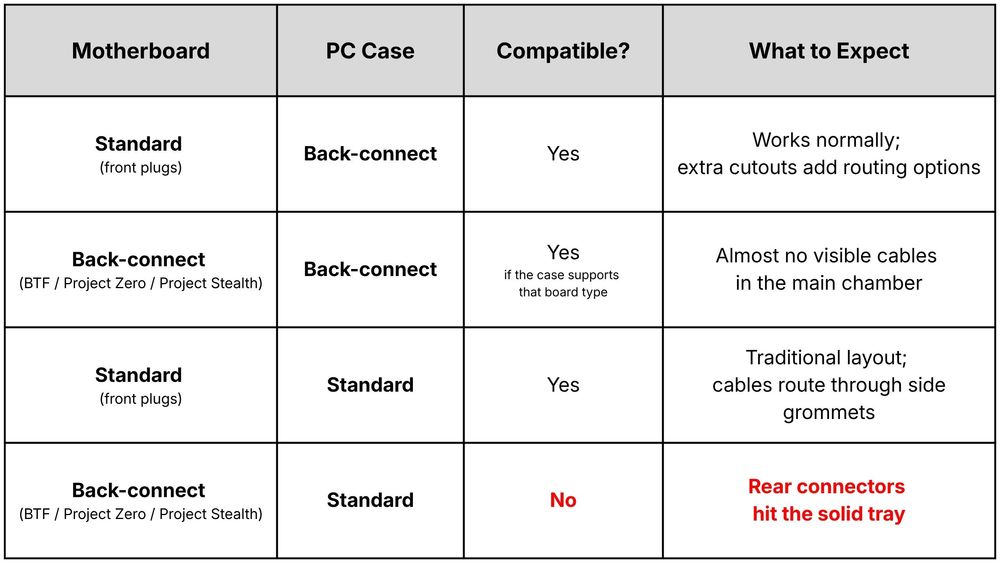
Compatibility is confirmed case by case, so check the supported-board list. Corsair, for example, removed reverse-connector Micro-ATX support from one case series after finding that the power supply blocked some connectors.
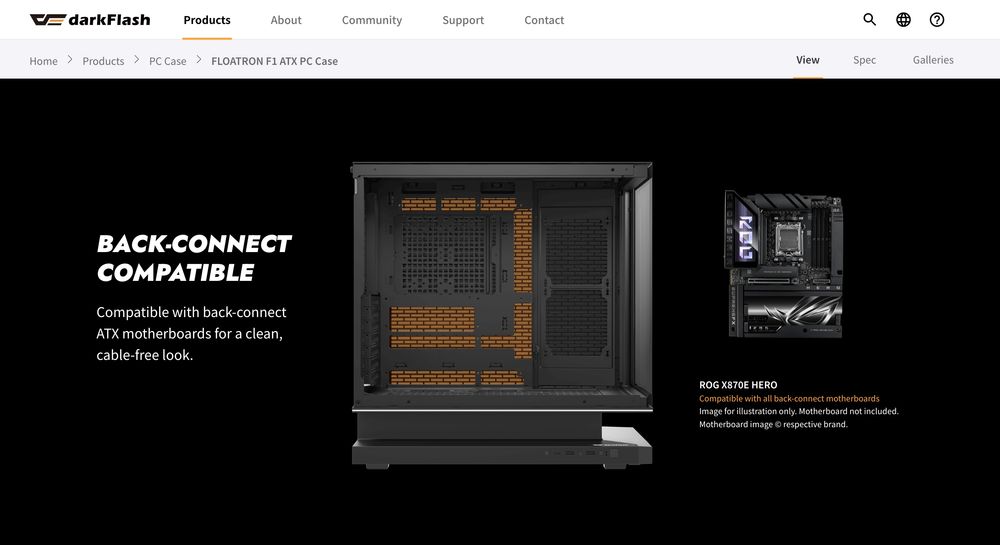
4 Hidden Benefits of Using a Back-Connect Case With a Regular Motherboard
Even if you have no plans to buy a rear-connector motherboard this year, a back-connect-capable case offers four practical advantages over older designs. Details vary from case to case, so the specs below use the darkFlash FLOATRON F1, DY470 and DY460 ATX PC Case as examples.
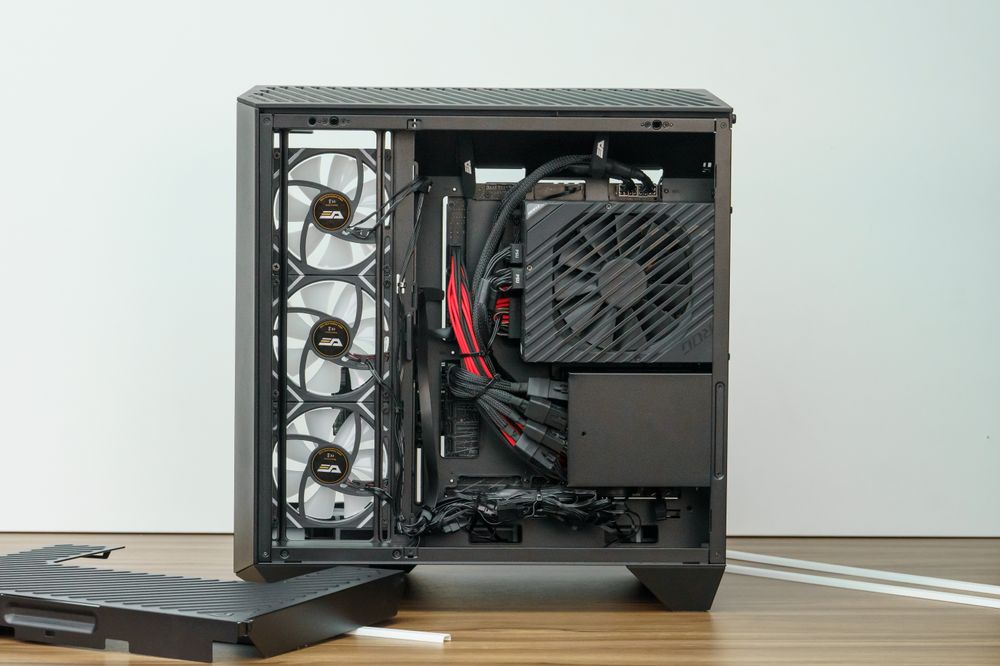
1. More Room for CPU and Fan Cables
On a traditional case, the top-left pass-through for the 8-pin CPU power cable can be tight, especially once a radiator is mounted on top. The extra perimeter cutouts on a back-connect tray can give you another path. The exact positions differ by case, so look at which cutouts remain uncovered once your board is in place.
2. Deeper Rear Cable Management Clearance
Back-connect boards use stiff connectors that stick straight out of the back, so these cases need real depth behind the tray. Corsair notes that sizing the rear chamber to fit an ATX power supply creates enough room for the cables. With a standard board, you inherit that space for thick PSU cables, RGB hubs, and extra length.
3. A Dual-Chamber Layout That Hides the PSU and Excess Cable
Both the DY460 and DY470 use a dual-chamber layout that keeps the power supply and cable clutter out of the main compartment. The DY470 also comes with a rear cable management cover plate. According to darkFlash’s comparison, the DY460 uses a top-and-bottom chamber with a louvered PSU panel, while the DY470 uses a left-and-right layout with a solid chamber.
4. Future-Proofing Your Next Upgrade
A back-connect-ready case lets you pick either board type when you upgrade your CPU and motherboard. The DY470’s official page lists the ASUS ROG MAXIMUS Z790 HERO BTF and ASUS TUF GAMING Z790-BTF as compatible examples. Because these standards vary by brand, confirm that the board you want is supported before buying.
3 Tips When Installing a Standard Board in a Back-Connect Case
To get the cleanest result when mounting a front-plug motherboard in a panoramic back-connect showcase case, keep these three tips in mind.
Double-Check ATX vs. Micro-ATX Standoff Positions
Back-connect ATX cases often support ATX, Micro-ATX, and ITX boards. Before lowering the board in, compare the screw holes on your PCB with the standoffs on the tray, and remove any standoff that does not line up with a mounting ring.
A stray standoff touching the back of the board can cause a short, which is one common cause of a PC that turns on for a second and then shuts off (see our boot-loop troubleshooting guide).
Route Each Cable Through the Nearest Open Cutout
Once the board is mounted, look at which cutouts are still open around its edges. Route the 24-pin, front-panel, and audio cables through the closest one and keep bends gentle. Cables that take a long path will show through the glass.
Close the Rear Cable Cover Plate
The DY470 includes a rear cable management cover plate. Even with a standard motherboard, tucking your cables beneath it keeps the back panel tidy and prevents loose wires from drifting toward open cutouts that are visible from the front.
Frequently Asked Questions (FAQ)
Will the empty back-connect cutouts look ugly if I use a standard motherboard?
Usually not with a full ATX board. A standard ATX motherboard is 305 mm × 244 mm and covers most of the tray, and back-connect ATX boards share that footprint, so the extra cutouts sit behind the PCB. If you install a smaller Micro-ATX or Mini-ITX board in a full-size case, some cutouts may stay exposed, depending on the case.
Do I need a special power supply for a back-connect case?
No. Back-connect boards still use standard PSU cables. CustomPC notes that for ASUS’s GC_HPWR design, power still comes from standard PCIe power cables, which plug into the back of the motherboard rather than the graphics card. Any standard modular ATX power supply works. Just make sure the cables are long enough for the rear routing path.
Can I use a regular graphics card in a back-connect case?
Yes. You can use a conventional graphics card with a back-connect motherboard by plugging in its power cables as normal. One nuance applies to ASUS BTF graphics cards: the original design needed a BTF motherboard, while newer BTF 2.0 cards use a detachable adapter so they also work on standard boards.
Does a back-connect case affect CPU cooler or AIO compatibility?
The cooler mounting bracket attaches to the CPU socket backplate, so it is not affected by the tray design. What matters is the case’s maximum cooler height, which the DY470 lists at 175 mm and the DY460 at 185 mm. Check your cooler’s height against those numbers.
Conclusion: Build With What You Have Today, Upgrade Tomorrow
You never have to pass up a great back-connect PC case just because you own, or plan to buy, a traditional front-plug motherboard. The mounting standard is the same, the extra cutouts add routing options, and the deeper rear chamber gives you more room to hide cables.
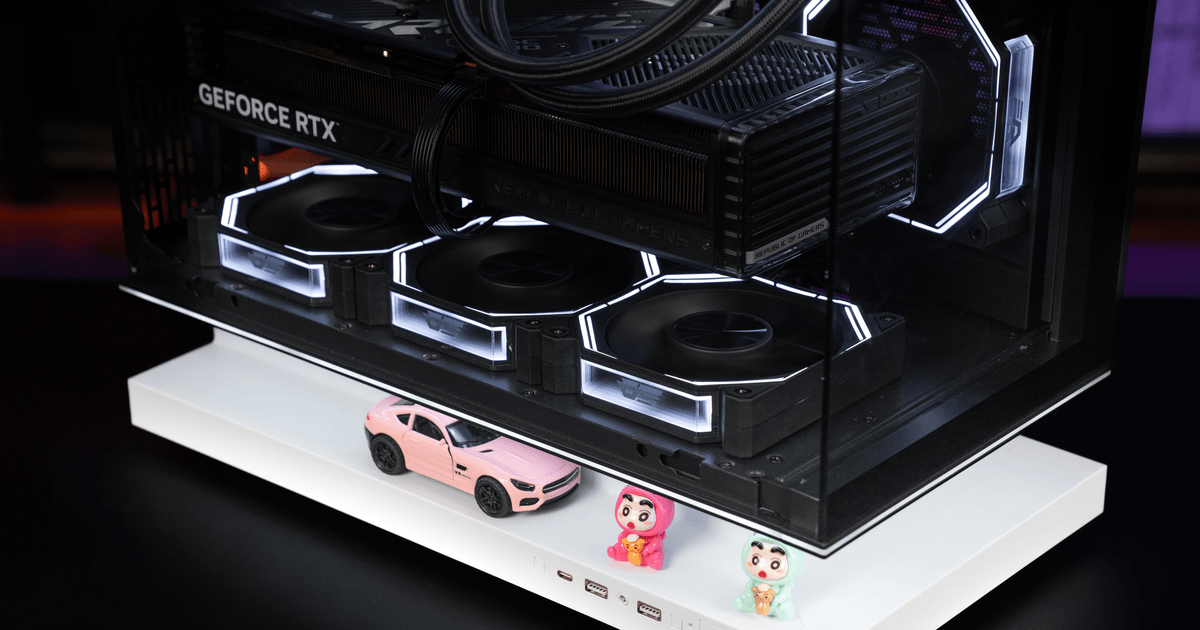
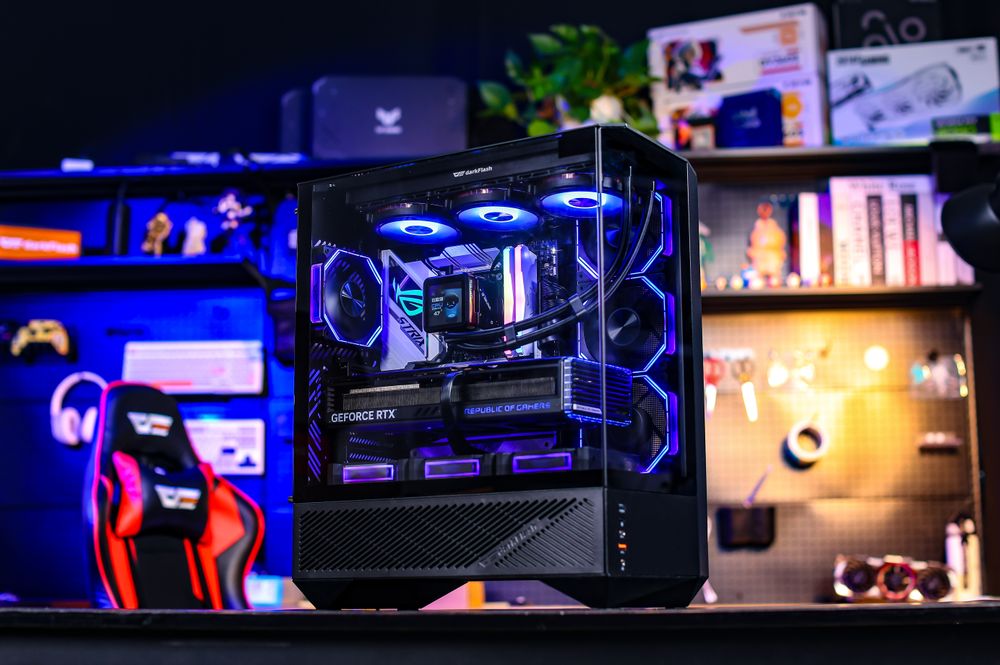
If you want a panoramic showcase case that works with a standard board today and leaves the door open for a back-connect upgrade, the FLOATRON F1 ATX, DY470 and DY460 both support standard ATX, Micro-ATX, and ITX motherboards as well as back-connect ATX boards.
Both offer three-sided tempered glass, support up to ten 120mm fans, and include a front-panel USB Type-C port at 10Gbps.