Is your gaming PC starting to look like a dust magnet? Or worse, are you noticing your temperatures creeping up and your frame rates dipping after a few months of use? While many builders obsess over RGB lighting or cable management, there is an invisible physics battle happening inside your case that determines the health of your PC: Air Pressure.
Understanding the difference between Positive and Negative air pressure is the key to keeping your components cool and, more importantly, dust-free. Let’s see how this works in practice, using the darkFlash FLOATRON F1 M-ATX PC Case as our reference case."
The Basics: How Air Pressure Works in a PC
Think of your PC case as a room. You have fans pushing air in (Intake) and fans pulling air out (Exhaust). The relationship between these two forces creates pressure.
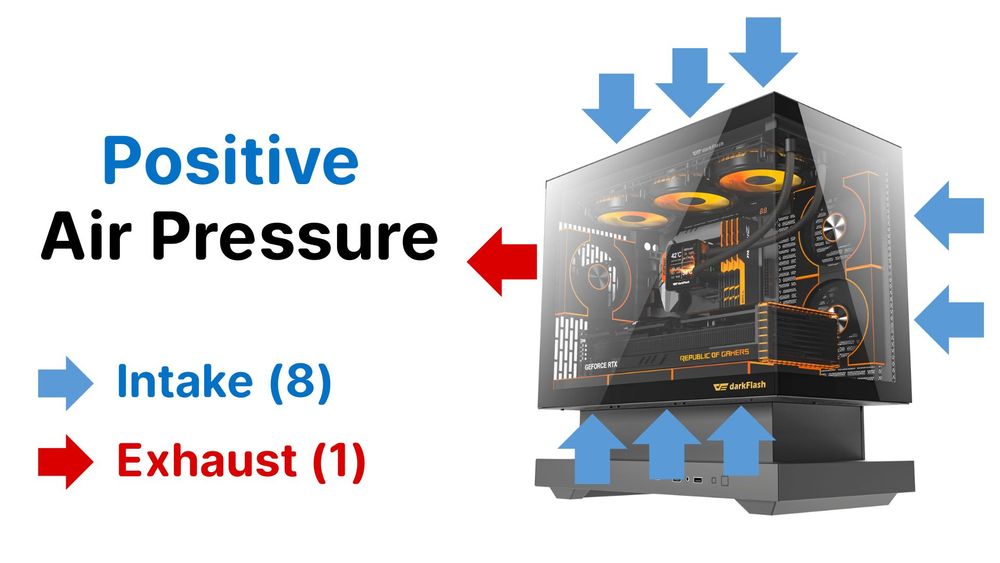
Positive Air Pressure (The Goal)
The Setup: Total Intake CFM (Airflow in) > Total Exhaust CFM (Airflow out).
The Physics: You are forcing more air into the case than the exhaust fans can pull out. This causes the extra air to naturally push out of every tiny crack, gap, and unfiltered vent in your chassis.
The Result: Dust cannot enter through the gaps because air is constantly rushing out of them. As long as your intake fans have dust filters, the inside of your PC stays clean.
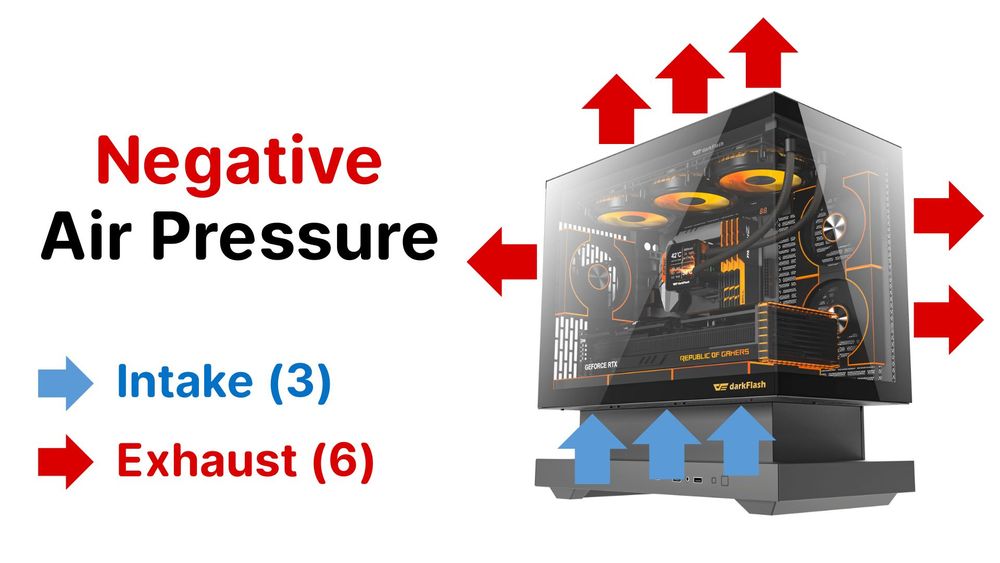
Negative Air Pressure (The Dust Magnet)
The Setup: Total Exhaust CFM > Total Intake CFM.
The Physics: Your fans are pumping air out faster than it can get in, creating a vacuum effect.
The Result: Air (and dust) is sucked in through every unfiltered crack, PCIe slots, side panel gaps, and unused ports. This turns your PC into a vacuum cleaner.
Optimized Positive Pressure (Recommended)
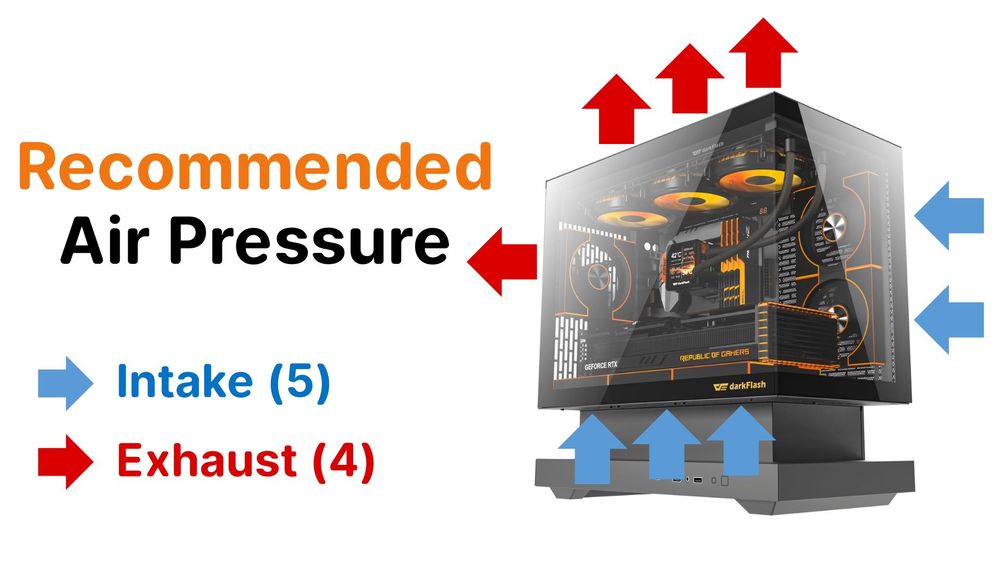
The Setup: Total Intake CFM slightly > Total Exhaust CFM.
The Physics: This creates a clear airflow path where fresh cool air is forced in, while dedicated exhaust fans actively remove the rising heat. It prevents the "heat soak" that can happen if you only use intake fans.
The Result: The best of both worlds. You maintain the dust-repelling benefits of positive pressure while ensuring your GPU and CPU heat is efficiently ejected from the chassis.
How to Set Up the Perfect "Positive Pressure" Build
To achieve the "Goldilocks" zone of high airflow and low dust, follow this simple strategy using your components.
Step 1: Maximize Intake with Filtered Air
You want more fans blowing in than blowing out. However, you must ensure the intake air comes from a filtered source.
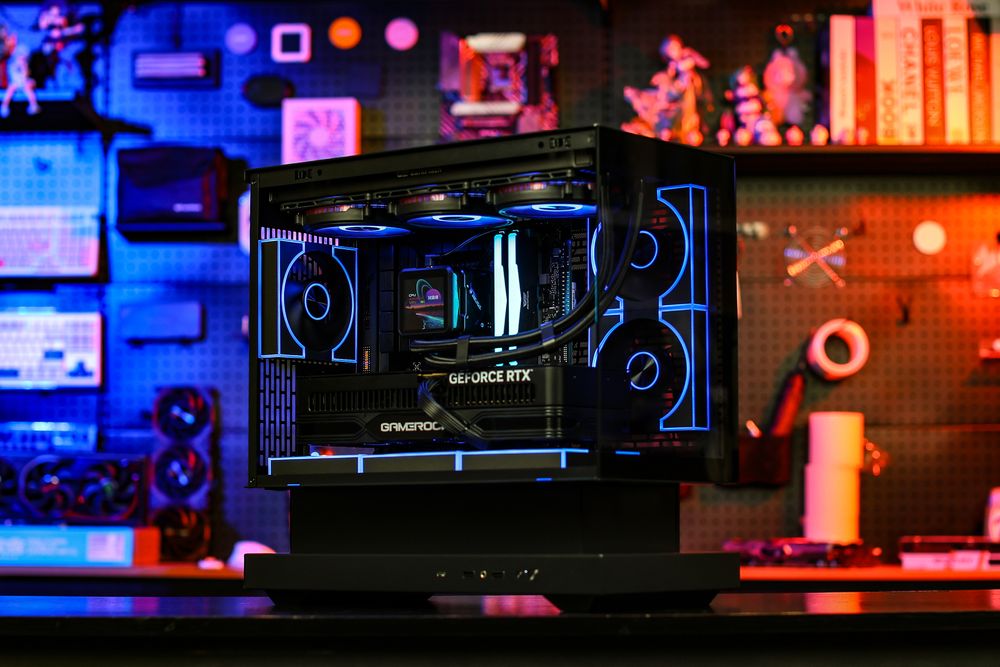
The "Fish Tank" Solution: On panoramic cases like the darkFlash FLOATRON F1, the front panel is glass, which looks great but blocks front airflow.
The Fix: The FLOATRON F1 features fully open ventilation layout. These allow you to mount high-performance fans (like the darkFlash DM8 LINE) on the side and bottom to pull massive amounts of cold air in.
Pro Tip: Since the FLOATRON F1 comes with dust filters, these intakes will catch the dust before it hits your GPU.
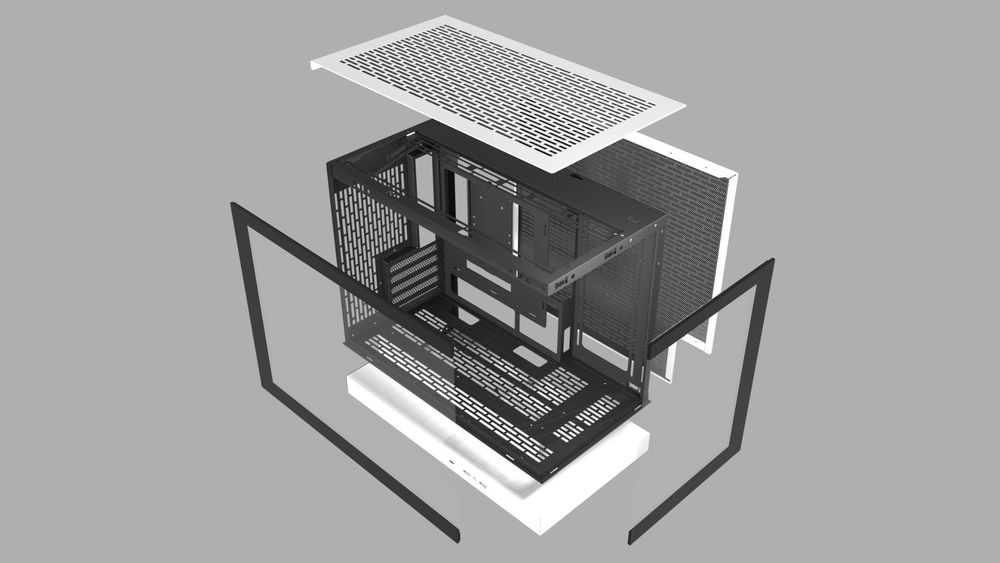
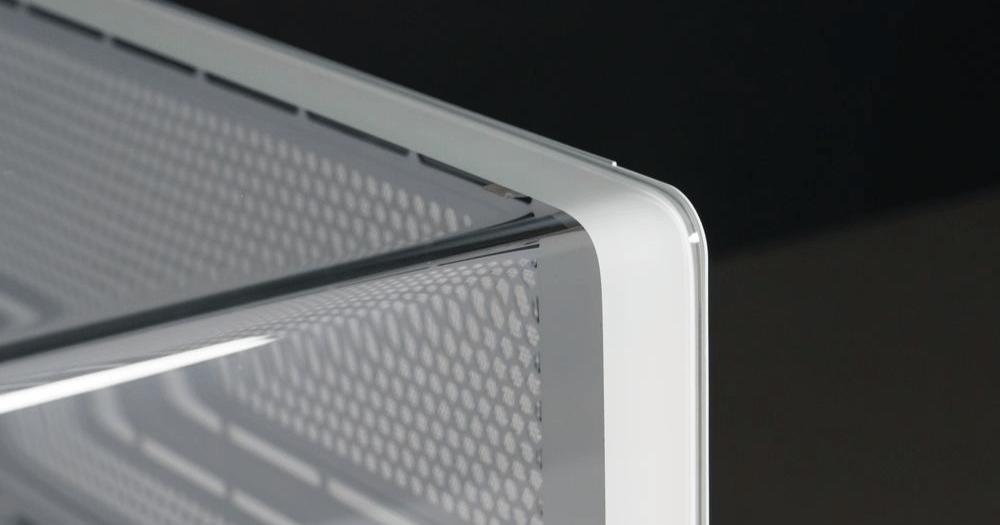
(fully open ventilation layout, with magnetic filters on top and side panel)
Step 2: Choose the Right Fan for the Job
Not all fans are created equal.
For Radiators (Top Exhaust): You want fans that can push through resistance.
For Case Intake: You want durability. Since intake fans often fight against dust filters, we recommend Hydro Bearing fans. They offer a longer lifespan (~40,000+ hours) compared to standard sleeve bearings and are whisper-quiet.
Step 3: The "Chimney" Configuration
Heat naturally rises. Work with physics, not against it.
Bottom: INTAKE (Cold air for the GPU).
Side: INTAKE (Fresh air for the Motherboard/CPU).
Top/Rear: EXHAUST (Pushing the hot air out).
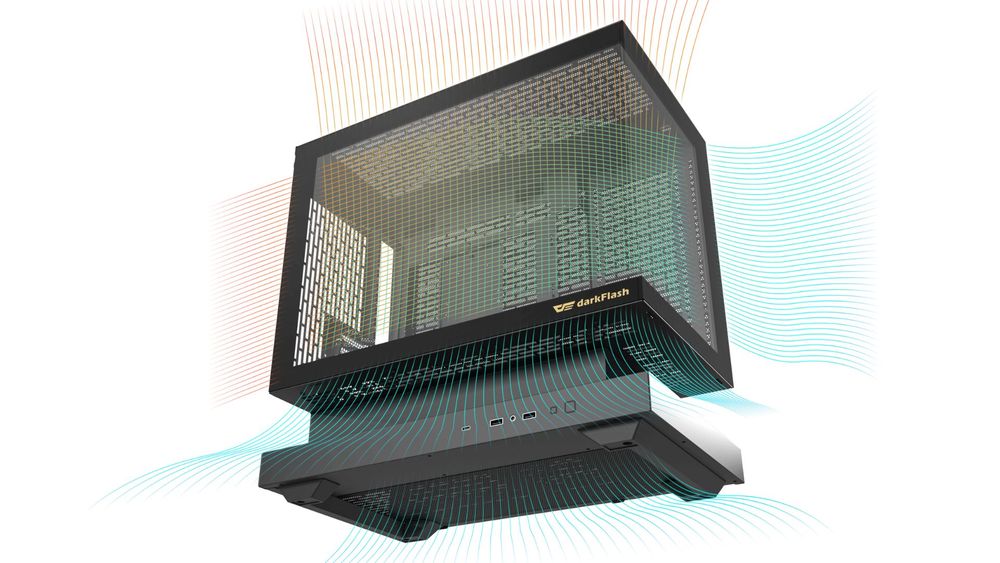
The "Floating" Advantage: Why the FLOATRON F1 Wins
Most panoramic "fish tank" cases suffer from a common problem: they sit too low to the ground, choking the bottom fans.
The darkFlash FLOATRON F1 solves this with its signature Suspension Design (Floating Base). By elevating the chassis, it opens up a massive airway for the bottom fans to pull in fresh, cool air without restriction.
The Perfect Positive Pressure Configuration
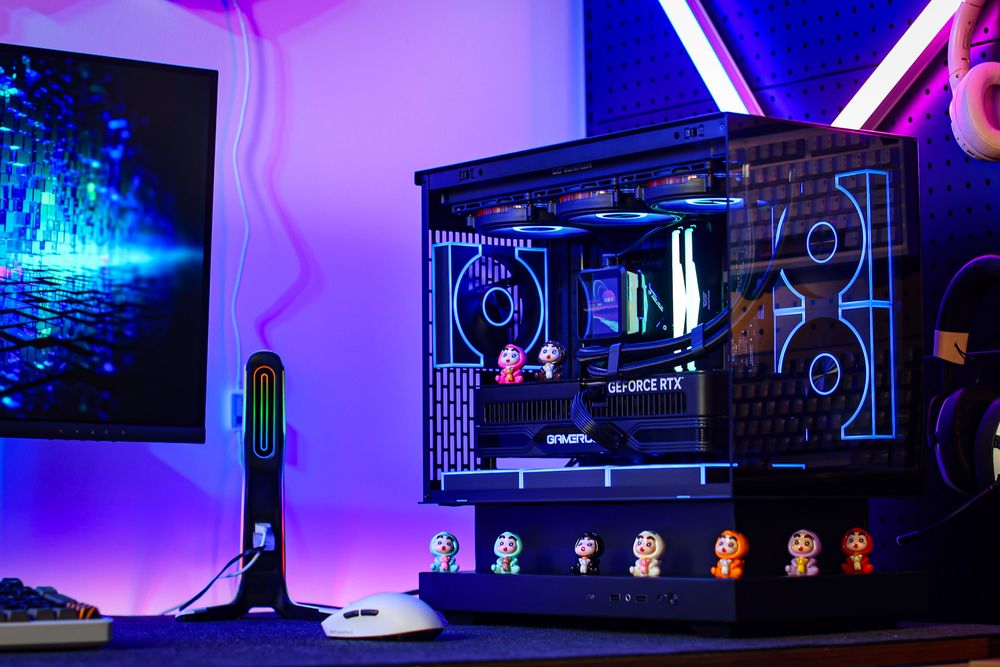
To achieve the "Goldilocks" zone of high airflow and low dust, simply fill the fan slots on the FLOATRON F1. The case is engineered to naturally create positive pressure:
Intake (5 Fans):
Bottom: 3x Fans (The floating base allows maximum air intake directly to the GPU).
Side: 2x Fans (Pulling fresh air for the Motherboard and CPU).
Exhaust (4 Fans):
Top: 3x Fans (Radiator exhaust).
Rear: 1x Fan.
The Math: 5 Intake Fans > 4 Exhaust Fans. This setup guarantees that cool air is always forcing its way out of the cracks, keeping dust away from your precious components.
A Final Tip on Maintenance
Dust acts as an insulator, trapping heat inside heatsinks. Even with positive pressure, you should check your filters every 3-6 months. The FLOATRON F1’s filters catch the dust before it hits your hardware, making cleaning as simple as peeling off the filter and wiping it down.