How do you choose the right PC memory in 2026? Start with motherboard compatibility first, then choose capacity, speed, and timing. Many PC builders compare GPUs and motherboards carefully, but treat RAM as an afterthought.
That is a mistake. From DDR1 to DDR5, memory has changed dramatically in speed, voltage, pin layout, and platform support. More importantly, the wrong generation of memory will not physically fit into the wrong motherboard.
DDR1 to DDR5: Speed Increased, Voltage Dropped
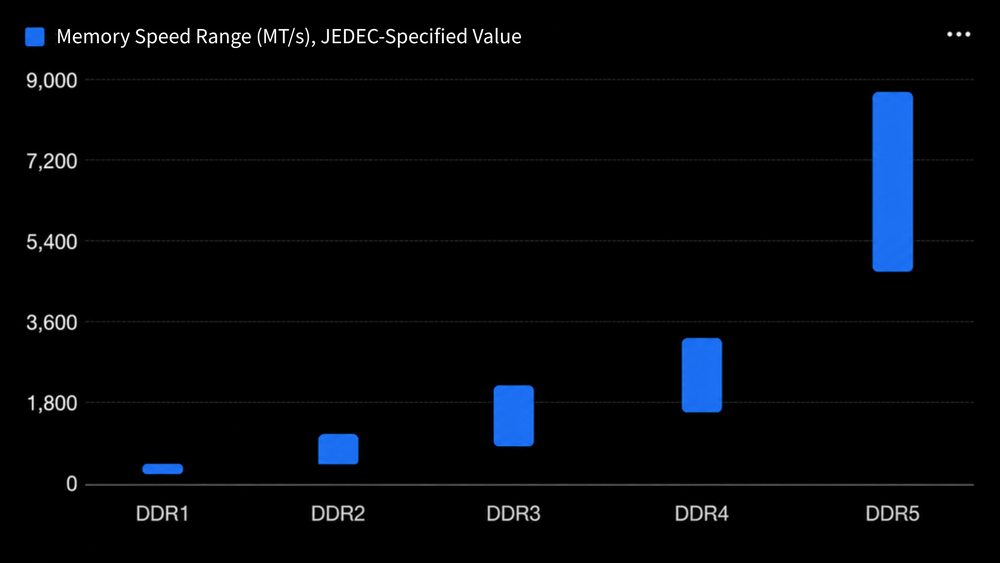
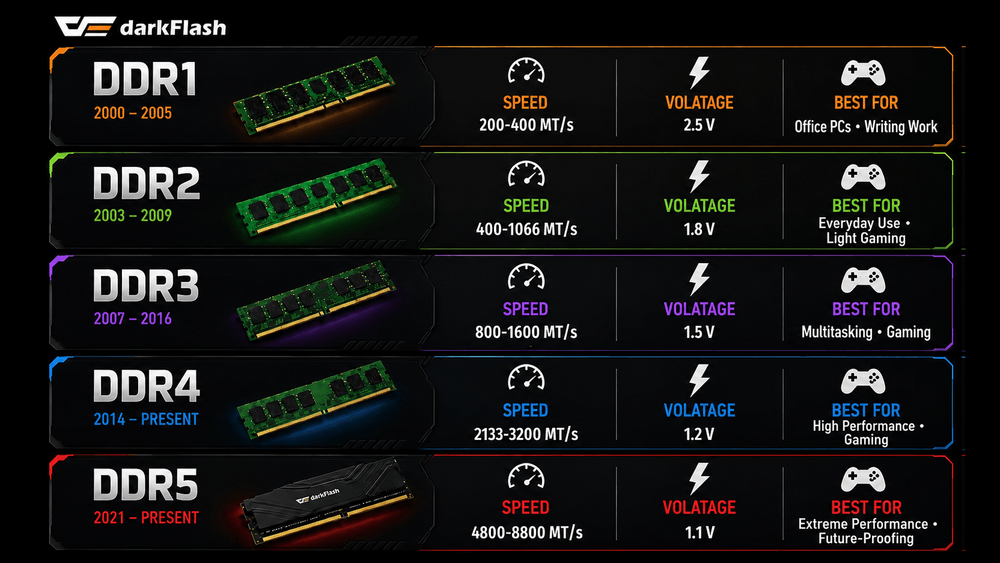
According to JEDEC-standard ranges, DDR memory has become much faster while using lower voltage. DDR1 entered the market around 2000 with official speeds around 200-400 MT/s and a standard voltage of 2.5V. DDR2 pushed speeds up to 1066 MT/s while dropping voltage to 1.8V, and DDR3 reached up to 2133 MT/s at 1.5V.
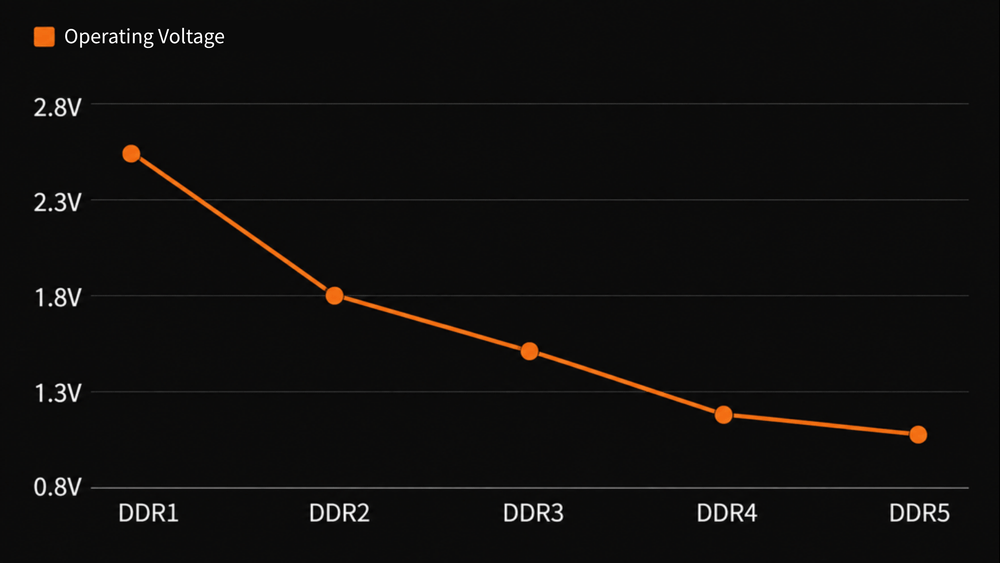
DDR4 was the major turning point for modern PCs. It started at 1600 MT/s and officially reached 3200 MT/s, while reducing standard voltage to 1.2V. DDR5 raised the baseline much higher, starting at 4800 MT/s, with JEDEC DDR5 specifications extending much further. Under JESD79-5C, DDR5 can reach up to 8800 MT/s in official specification terms, while standard voltage is reduced to 1.1V.
Note: These are JEDEC official specification values. Retail XMP and EXPO memory kits can run above standard speeds, so seeing DDR5-6000, DDR5-7200, or higher on store shelves does not conflict with JEDEC baseline specs.
DDR4 Is Still Alive, But DDR5 Is the New Platform Choice
Is DDR4 outdated in 2026? No, DDR4 is still widely used and still good enough for many gaming and multitasking systems. Some articles describe DDR4 as if it only existed from 2014 to 2020, but that can be misleading. DDR4 modules and motherboards are still widely available, and many existing DDR4 systems remain fast enough for mainstream gaming.
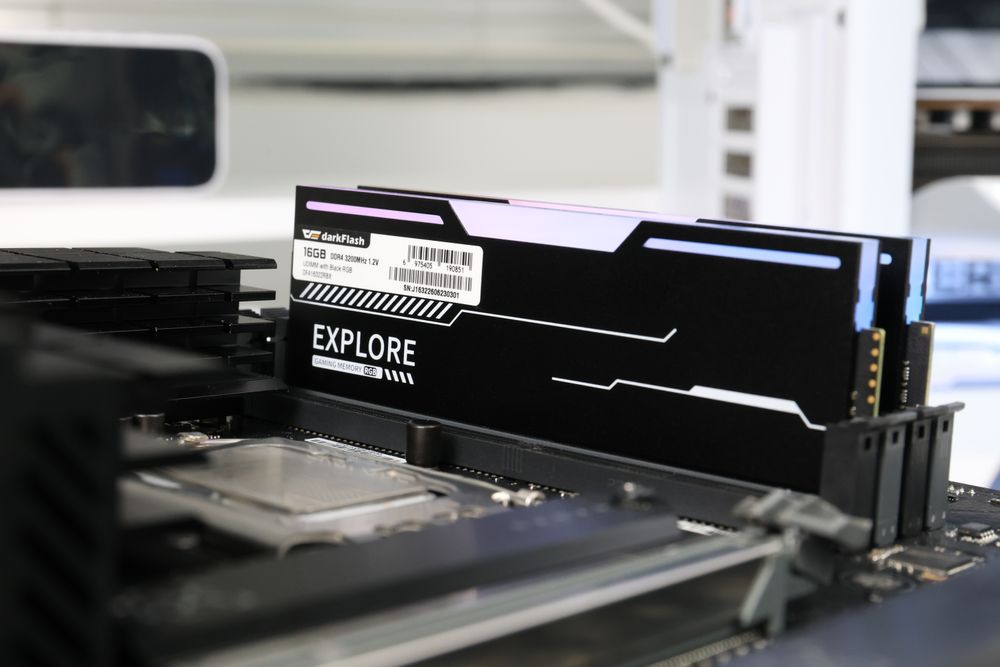
The decision is simple. If you are building a brand-new PC with a modern platform, DDR5 is usually the better choice because it offers more bandwidth and a stronger upgrade path. If you already own a DDR4 platform, replacing memory alone may not be the most noticeable upgrade.
In many cases, spending money on a better GPU, larger SSD, or better cooling may improve the system more. Moving from DDR4 to DDR5 usually means replacing the motherboard and CPU as well.
Why Older RAM Will Not Fit in New Motherboards
Why can’t you install older DDR memory into a newer motherboard? Each DDR generation uses a different pin layout, notch position, voltage design, and signaling standard. DDR1 desktop DIMMs use 184 pins. DDR2 and DDR3 both use 240 pins, but their notch positions are different. DDR4 and DDR5 both use 288 pins, but they are still keyed differently and are not interchangeable.
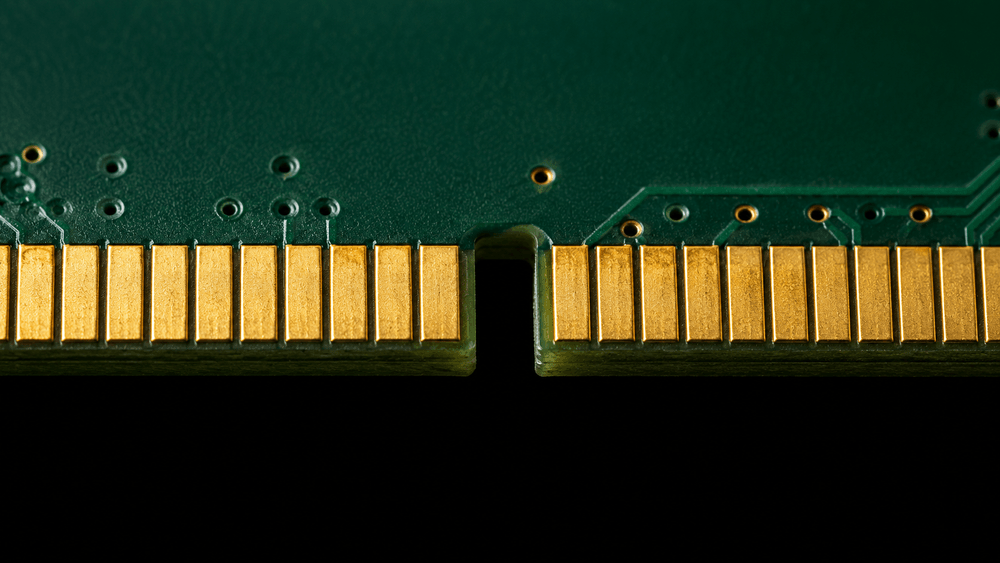
This design prevents users from installing incompatible memory into the wrong slot. It is not just a physical inconvenience. Different DDR generations use different electrical requirements, and forcing the wrong module into the wrong slot can damage the motherboard or memory. Before comparing speed, always confirm which memory generation your motherboard supports.
FAQ
Is DDR5 always faster than DDR4?
In bandwidth, yes. In real gaming, the difference is not always dramatic because many games are limited more by the GPU. DDR5 shows clearer benefits in content creation, multitasking, high-bandwidth workloads, and newer platforms.
Can I mix DDR4 and DDR5 memory?
No. DDR4 and DDR5 use different slots and are not compatible. Even within the same generation, it is best to use a matched kit to avoid timing, chip, and stability issues.
Is lower voltage always better?
Lower voltage usually means less heat and better efficiency, which is useful for compact builds and thermal control. However, stability depends on memory chips, motherboard quality, BIOS support, and memory profiles, not voltage alone.
Final Thoughts: Check Compatibility Before Speed
When choosing PC memory, follow this order: check the motherboard generation first, choose the capacity next, then compare speed and timing. For a new build in 2026, DDR5 is the better long-term choice. For an existing DDR4 system, upgrading the whole platform is not always necessary.
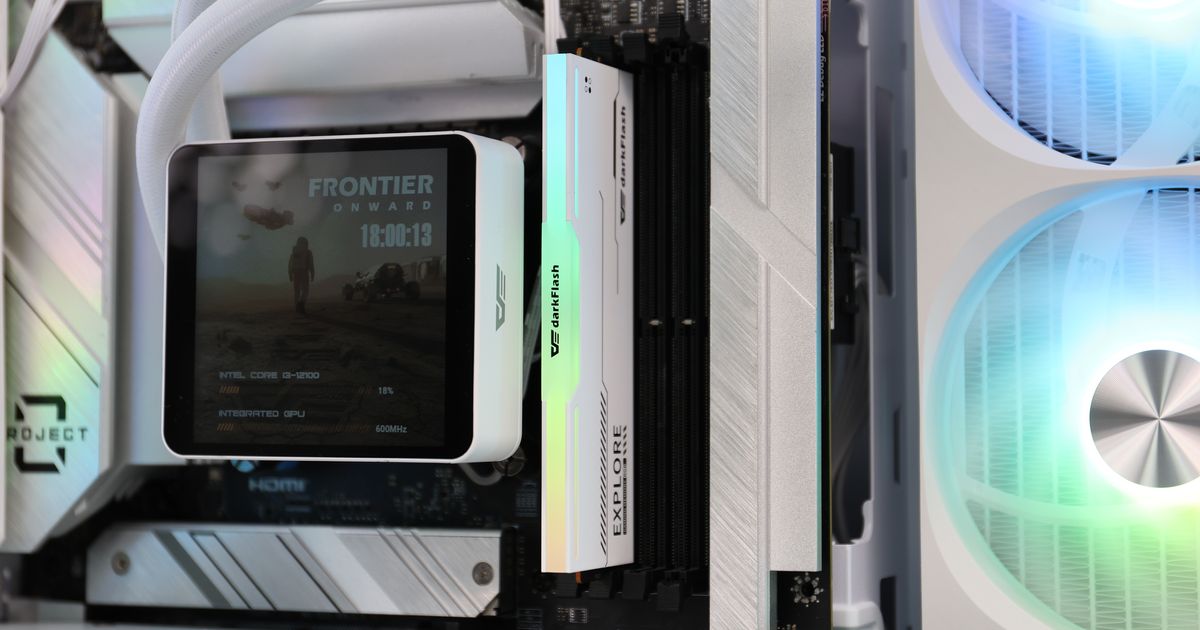
As for capacity, 32GB is now the more comfortable starting point for modern gaming and multitasking, while 16GB is still usable but beginning to feel tight. darkFlash DDR4 and DDR5 memory options, including desktop and laptop memory, give users more flexibility whether they are upgrading an older system or building a new PC.