One pigtail cable vs. two separate PCIe cables: how should you power your graphics card? Whenever your power supply includes two independent PCIe power cables, you should always use two separate PCIe cables rather than a single daisy-chained "pigtail" cable to power a dual 8-pin graphics card.
In any gpu pigtail vs two separate pcie cables comparison, running two dedicated cables from your PSU splits the electrical current evenly across twice as many copper wires and modular PSU terminals—reducing cable heat, minimizing voltage droop, and preventing random PC shutdowns during heavy gaming transient spikes.
Is it ever safe to use a single pigtail cable with two 6+2 pin plugs? Only if your graphics card has a total board power (TBP) under 225W (75W from the motherboard PCIe slot plus 150W from the primary cable). For any mid-range or high-end GPU drawing over 225W—such as an AMD Radeon RX 9070 XT, RX 7900 XT, or an NVIDIA RTX 4070 Ti / 5070 Ti using an adapter—using two separate PCIe cables is mandatory for long-term hardware safety.
What Is a PCIe Pigtail Cable and How Does GPU Power Math Work?
If you open the box of almost any modern modular or semi-modular power supply, you will notice that the PCIe 8-pin (6+2 pin) cables have a main connector at the end, plus a second 6+2 pin connector branching off a few inches further down the same wire harness. PC builders call this secondary branch a pigtail or daisy-chain connector.
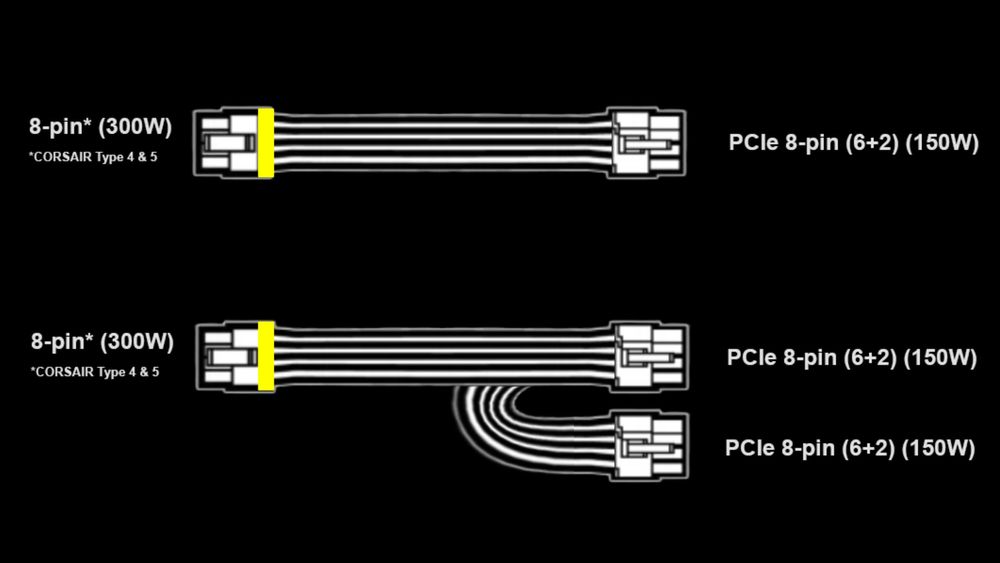
(Individual 8-pin vs Pigtail Connectors for GPUs, CORSAIR)
Why do power supply manufacturers include a pigtail plug if builders warn against using it? The answer lies in the official PCI-SIG electrical specification versus how modern high-wattage graphics cards actually behave:
The Motherboard PCIe x16 Slot: Supplies up to 75W of power directly through the gold fingers on the bottom of your graphics card.
A Single 8-Pin PCIe Connector (Official Spec): Rated by the PCI-SIG standard to deliver 150W continuously.
The Cable vs. Connector Bottleneck: While a single 8-pin plug on the GPU side is strictly capped at 150W in the official standard, a high-quality PSU cable made with thick 16AWG or 18AWG copper wires can physically carry 225W to 288W before overheating. PSU brands add a pigtail plug so that a card drawing 180W to 220W—which technically requires two 8-pin sockets on the PCB just to exceed the 225W (75W + 150W) threshold—can run off one cable.
The trouble starts when a gamer plugs a single pigtail cable into a power-hungry 280W or 350W graphics card. As highlighted in GPU power wiring discussions on r/PcBuild, the graphics card sees two 8-pin plugs occupied and assumes it has permission to pull up to 300W through those two plugs combined—forcing all 300W through a single 8-pin modular socket on the power supply side.
One Pigtail Cable vs. Two Separate PCIe Cables: Wattage & Safety Guide
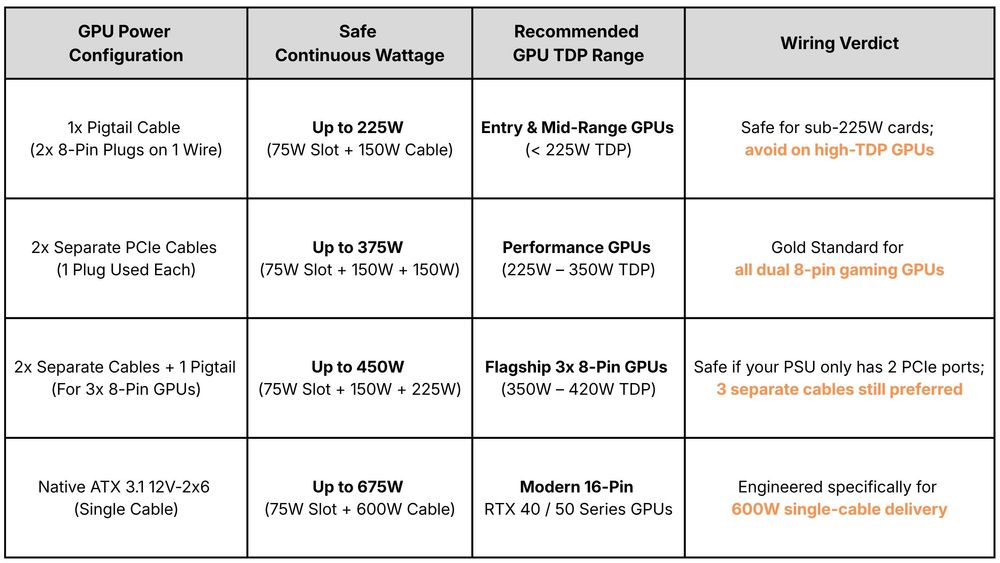
Not sure which wiring layout matches your graphics card? Use this breakdown—based on standard PSU engineering guidelines and real-world wattage benchmarks shared on r/buildapc—to match your GPU's power draw to the right cable configuration:
4 Risks of Using a Single Pigtail Cable on a High-Wattage GPU
Even if your PC boots up and runs a game using a single daisy-chained cable, pushing 250W to 350W down one 8-pin wire harness introduces four serious hardware risks over time.
1. Melted Modular Connectors on the Power Supply Side
Heat in an electrical wire increases with the square of the current ($I^2R$). When you split 300W across two separate PCIe cables, each cable carries 150W (roughly 12.5 Amps at 12V, or just over 4 Amps per 12V pin).
When you force all 300W through a single pigtail cable, the single modular plug plugged into the back of your power supply has to carry 25 Amps continuously. Over months of heavy gaming, that high contact resistance can char, brown, or melt the plastic housing right at the PSU port.
2. Voltage Droop and Unstable GPU Boost Clocks
As copper wires heat up under heavy current, their electrical resistance rises, causing a phenomenon called voltage droop. Instead of receiving a rock-steady 12.0V under full load, your graphics card's VRM may see the voltage sag to 11.5V or 11.4V.
Modern GPUs constantly monitor input voltage; excessive voltage sag can reduce maximum boost clock stability, introduce coil whine, or trigger black-screen driver timeouts (nvlddmkm or AMD driver crashes).
3. Millisecond Transient Spikes Tripping PSU Protections
A graphics card rated for 260W average power does not draw a flat 260W every millisecond. Modern GPUs experience transient power excursions—brief 1-to-10-millisecond spikes where power draw jumps to 1.5x or 2x the card's rated TDP.
On a single pigtail cable, a sudden 450W spike concentrated on one PSU rail or terminal can trip Over-Current Protection (OCP) or Under-Voltage Protection (UVP), shutting your PC off instantly in the middle of a boss fight.
4. Severe Overheating on 12VHPWR / 12V-2x6 Adapter Dongles
If your graphics card uses a 16-pin power connector and came with a 2x 8-pin to 16-pin or 3x 8-pin to 16-pin adapter, you must never plug a pigtail connector into that adapter. Every 8-pin leg of a 16-pin adapter expects an independent 150W feed from your PSU.
Daisy-chaining one cable into two legs of a 16-pin adapter is one of the fastest ways to overload the cable and void your warranty.
How to Wire Your Graphics Card Cleanly (And Hide Unused Pigtails)
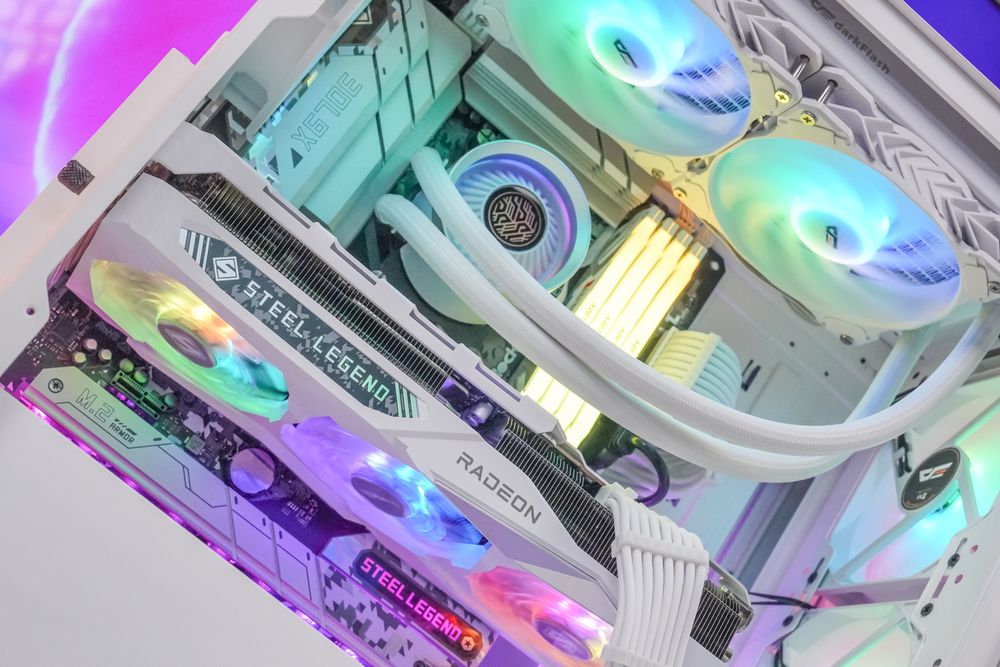
One of the main reasons DIY builders are tempted to use a single pigtail cable is aesthetics: nobody likes having two dangling, unconnected 6+2 pin plugs hanging out in front of a tempered glass side panel. Here are three safe ways to keep your build looking clean without compromising power delivery:
Always Plug In the Primary Connector First: On each separate PCIe cable, plug the main connector (the one directly attached to the main wire trunk coming from the PSU) into the GPU, and leave the secondary pigtail branch unplugged. This keeps the electrical path as short and low-resistance as possible.
Fold and Zip-Tie the Pigtail Behind the Main Run: Gently bend the unused 6+2 pin pigtail loop backward so it lies flat against the main braided cable sleeve, then secure it tightly with a black or white velcro strap or small zip-tie just below the GPU backplate cutout.
Use Universal Braided PSU Extensions (Or Native ATX 3.1 Cables): If you want a showcase look with zero pigtail loops visible in the main chamber, attach high-gauge (16AWG) braided PCIe extension cables to the ends of two separate PSU cables hidden behind the motherboard tray—or upgrade to an ATX 3.1 power supply with clean, single-connector cables.
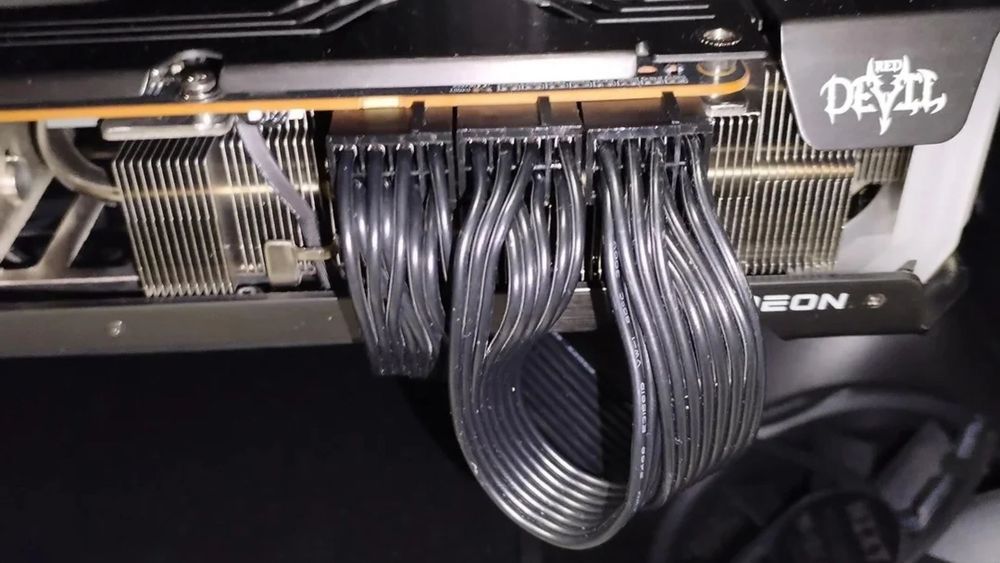
(Piggytail on a 3x8 pin GPU, u/Andrej760, r/pcmasterrace)
Frequently Asked Questions (FAQ)
What if my graphics card has THREE 8-pin power ports, but my PSU only came with two PCIe cables?
If your GPU has three 8-pin connectors (common on flagship custom cards) and your power supply only includes two PCIe cables in the box, it is safe to run two separate cables plus one pigtail on the second cable—giving you 75W (slot) + 150W (Cable 1) + 225W (Cable 2 + pigtail) = 450W of safe capacity. Just make sure the single dedicated cable is plugged into the primary power socket on the GPU.
Does using two separate PCIe cables increase FPS in games?
Under normal conditions, switching from one cable to two cables will not magically add 20 FPS. However, if your GPU was suffering from severe voltage droop or power-limit throttling on a single overloaded cable, switching to two separate cables restores stable 12V delivery, eliminating micro-stutters, driver crashes, and clock-speed drops under heavy overclocking.
Can I buy an extra modular PCIe cable online to avoid using a pigtail?
Only if the cable is verified by the manufacturer for your exact PSU model and series. Unlike extension cables, modular PSU cables do not have a standardized pinout on the power-supply side. Plugging a generic modular PCIe cable from another brand into your PSU can send 12V down a ground wire and instantly destroy your graphics card.
Which plug on a pigtail cable is the "main" connector?
Hold the cable by the long end that goes into the power supply. Follow the wires to the first 8-pin connector they enter—that is your main (primary) connector. The short 10cm–15cm loop jumping out the back of that plug is the secondary pigtail connector.
Conclusion: Give Your Graphics Card Clean, Dedicated Power
When wiring a gaming PC, taking an extra two minutes to route a second PCIe power cable from your power supply is the cheapest insurance policy you can buy for your graphics card. Unless your GPU draws well under 225W at peak load, skip the daisy-chain shortcut and give each 8-pin port its own dedicated cable run.
If you are building a new rig or upgrading your GPU in 2026, starting with a high-efficiency, fully modular power supply makes clean, multi-cable routing effortless.
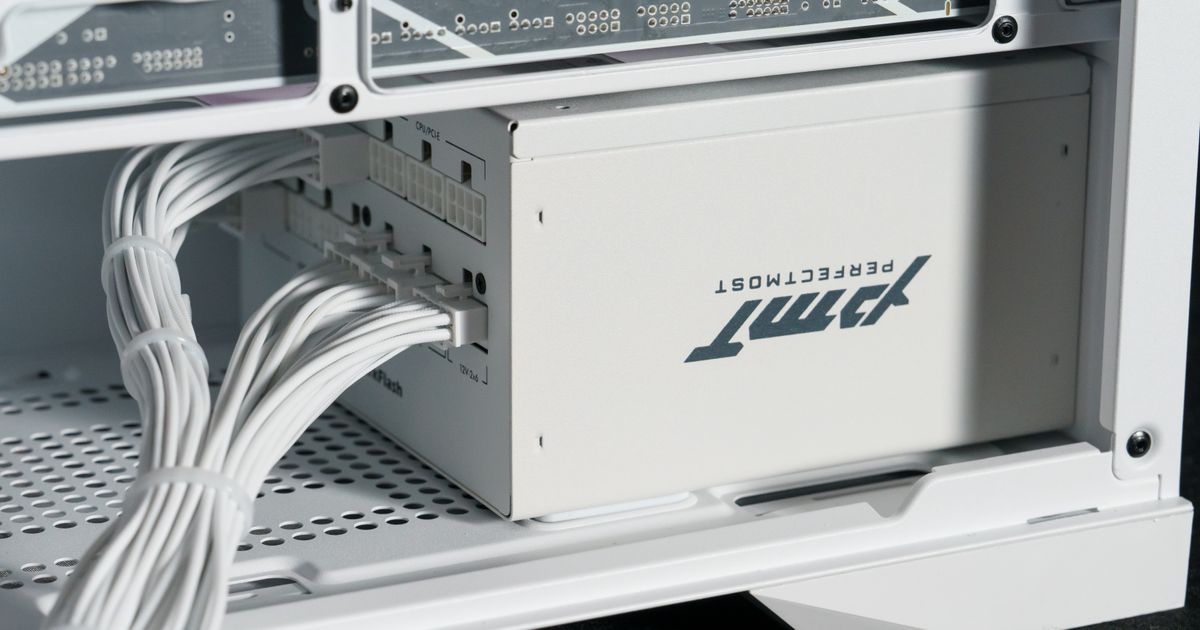
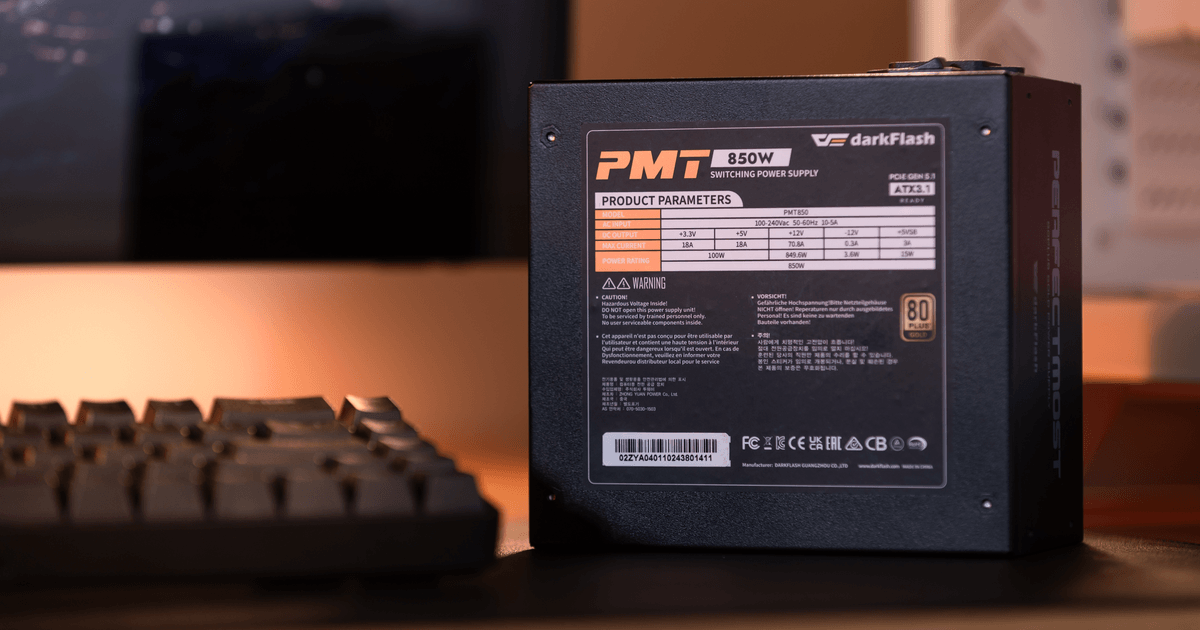
Modern power supplies like the darkFlash PMT Series 80 PLUS Gold Power Supply, the flagship darkFlash UMT Series 80 PLUS Platinum Power Supply, and the darkFlash DG Series feature DC-to-DC LLC resonant topologies, complete industrial-grade circuit protections (OVP, OCP, OPP, SCP, OTP, UVP), and native ATX 3.1 / PCIe 5.1 support—delivering rock-solid, spike-resistant power whether your graphics card runs on dual 8-pin connectors or a single 600W 12V-2x6 cable.