Do you need to upgrade your CPU every year? No, most users do not need a new processor as long as their current CPU still handles gaming, work, and daily tasks smoothly.
The real question is not how old your processor is, but whether it is already hurting your experience. If you are seeing unstable frame rates, slower multitasking, longer waits in creative software, or a new graphics card that cannot perform at full potential, then your CPU may be the next part to check.
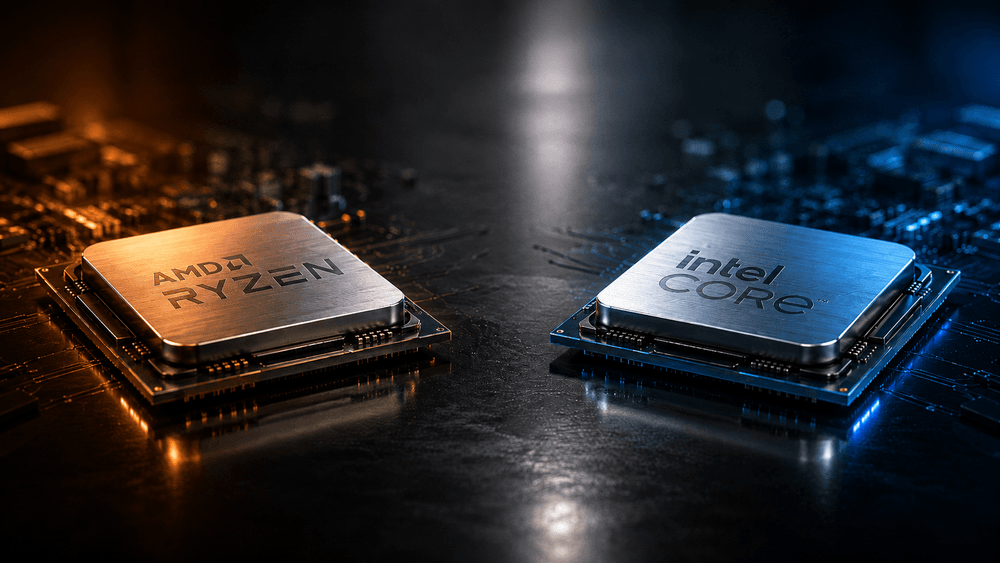
This guide ranks 2026 AMD Ryzen and Intel Core processors by practical upgrade outlook, helping you estimate how much longer your current CPU can remain useful and whether it is worth moving to a newer platform.
The “years left” listed below are general performance estimates, not the actual lifespan of the processor. Real upgrade timing depends on resolution, game type, GPU, software needs, cooling, and personal expectations.
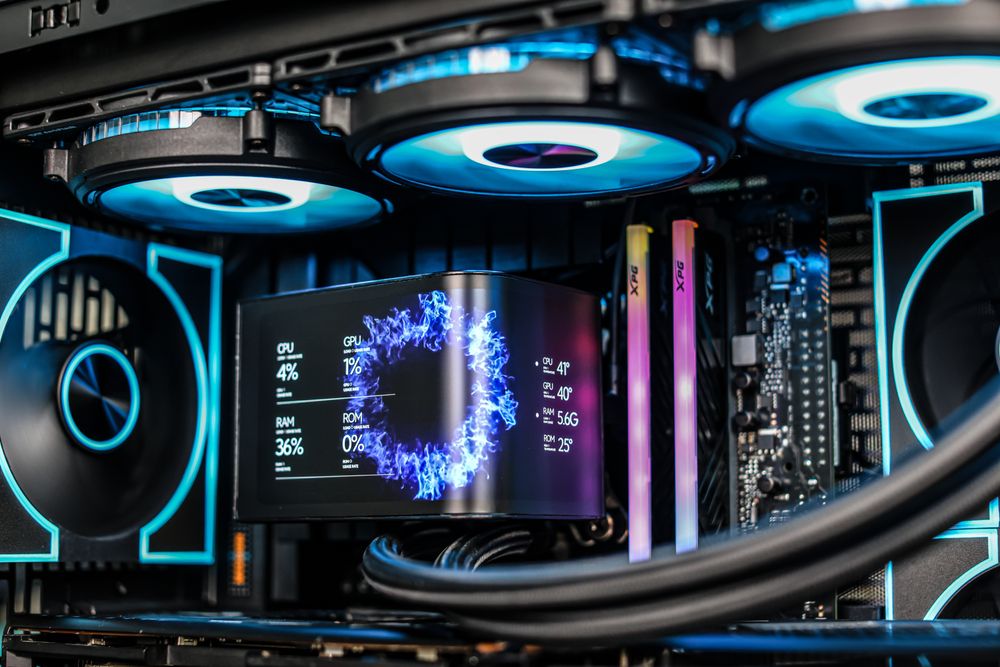
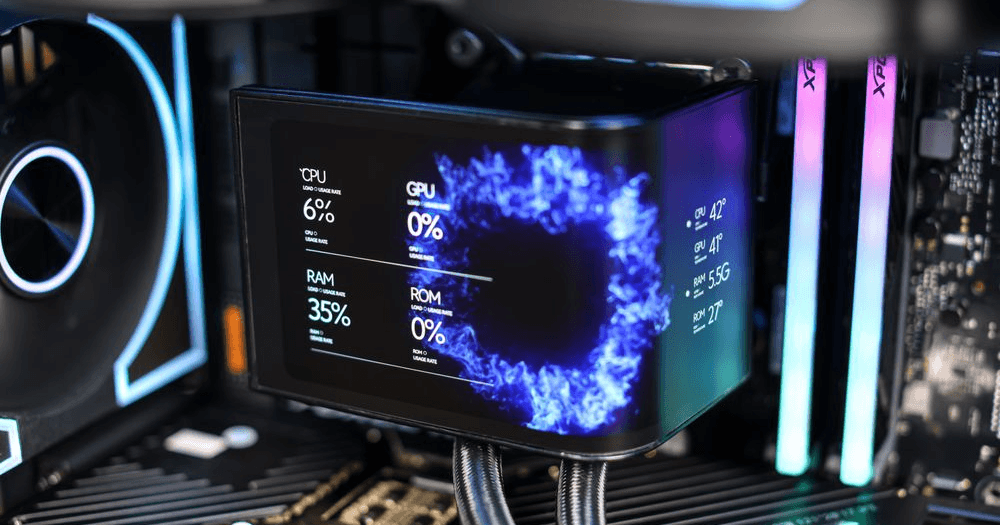
(darkFlash UV360 Liquid CPU Cooler)
4 Signs Your CPU May Need an Upgrade
Before checking your exact CPU model, look for these four signs of a processor bottleneck.
Game frame rates are often unstable
If your GPU usage stays low while some CPU cores remain heavily loaded, and you also see stutter, frame drops, or weak 1% lows, your CPU may be limiting gaming performance. This is common in esports games, open-world games, simulation games, and multiplayer titles with heavy CPU load.
Multitasking feels slower than before
If your system lags while gaming, using voice chat, browsing, streaming, or recording at the same time, your current core count, thread count, or single-core performance may no longer be enough.
Work and creative tasks take too long
Video editing, 3D rendering, code compiling, compression, decompression, and large project exports all rely heavily on CPU performance. If waiting time is hurting your workflow, a CPU upgrade may be more valuable than chasing a few extra FPS.
You need newer platform features
A CPU upgrade may also be about the platform, not just raw speed. Newer platforms can bring DDR5 memory, PCIe 5.0, more high-speed M.2 slots, better USB connectivity, newer wireless standards, and a stronger long-term upgrade path.
How to Use This CPU Upgrade Guide
Find your current AMD or Intel processor in the lists below, then check the estimated remaining useful period and target usage. If a CPU is listed as “good for another 5 to 6 years,” it should still handle most mainstream gaming and work needs. If it is listed as “good for another 1 to 2 years,” it can still cover basic use, but may start to show limits with newer games, high-refresh monitors, or major GPU upgrades.
Processors in the same tier are not identical in performance. This guide is meant to provide upgrade direction, not a strict benchmark ranking.
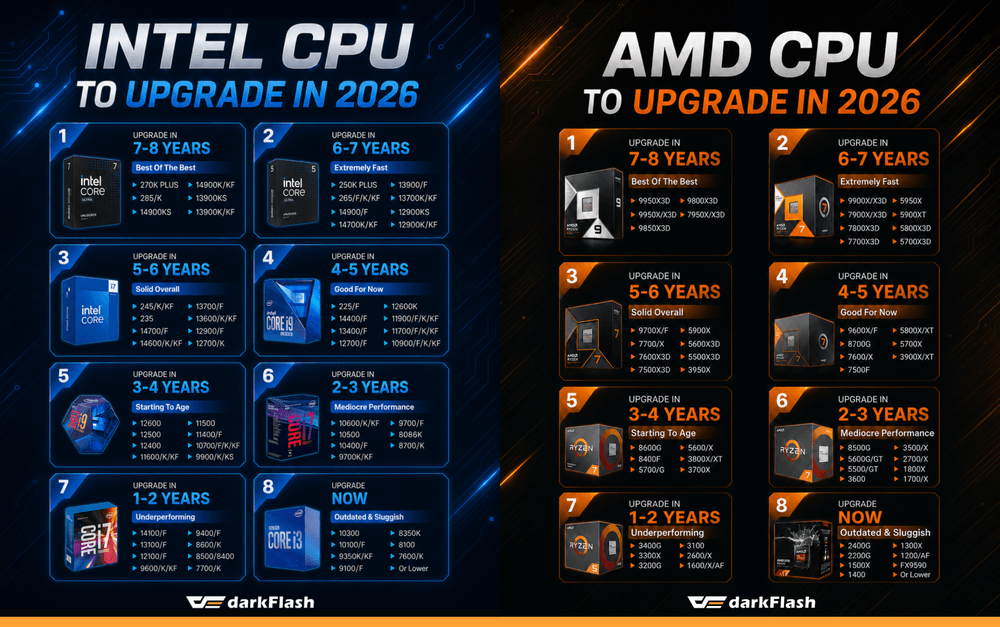
Tier 1: Flagship Performance, Good for Another 7 to 8 Years
Best for high-end gaming, professional creation, productivity workloads, and long-term use.
AMD
Ryzen 9 9950X3D
Ryzen 9 9950X
Ryzen 9 9850X3D
Ryzen 7 9800X3D
Ryzen 9 7950X3D
Ryzen 9 7950X
Intel
Core Ultra 9 285K
Core Ultra 7 270K
Core i9-14900KS
Core i9-14900K / KF
Core i9-13900KS
Core i9-13900K / KF
These CPUs offer very strong single-core and multi-core performance. Even with high-end GPUs, video editing, 3D rendering, or game streaming, they should not become obvious bottlenecks anytime soon.
Tier 2: High-Performance Platform, Good for Another 6 to 7 Years
Best for high-FPS gaming, heavy multitasking, and content creation.
AMD
Ryzen 9 9900X / X3D
Ryzen 9 7900X / X3D
Ryzen 7 7800X3D
Ryzen 7 7700X3D
Ryzen 9 5950X
Ryzen 9 5900XT
Ryzen 7 5800X3D
Ryzen 7 5700X3D
Intel
Core Ultra 7 265F / K / KF
Core Ultra 5 250K
Core i9-14900 / F
Core i9-13900 / F
Core i7-13700K / KF
Core i9-12900KS
Core i9-12900K / KF
These processors still support high-refresh gaming and demanding multitasking very well. Some older flagship models are on older platforms, but their real-world performance remains strong.
Tier 3: Mainstream Sweet Spot, Good for Another 5 to 6 Years
Best for mainstream gaming, office work, multitasking, and general content creation.
AMD
Ryzen 7 9700X / F
Ryzen 7 7700 / X
Ryzen 5 7600X3D
Ryzen 5 7500X3D
Ryzen 9 5900X
Ryzen 5 5600X3D
Ryzen 5 5500X3D
Ryzen 9 3950X
Intel
Core Ultra 5 245K / KF
Core Ultra 5 235
Core i7-14700 / F
Core i5-14600 / K / KF
Core i7-13700 / F
Core i5-13600 / K / KF
Core i9-12900 / F
Core i7-12700 / K
This tier usually offers the best balance of performance, price, and power consumption. For most gamers, these CPUs still have a long usable life ahead.
Tier 4: Practical and Reliable, Good for Another 4 to 5 Years
Best for general gaming, daily work, and moderate multitasking.
AMD
Ryzen 5 9600X / F
Ryzen 7 8700G
Ryzen 5 7600 / X
Ryzen 5 7500F
Ryzen 7 5800X / XT
Ryzen 7 5700X
Ryzen 9 3900X / XT
Intel
Core Ultra 5 225 / F
Core i5-14400 / F
Core i5-13400 / F
Core i7-12700 / F
Core i5-12600K
Core i9-11900 / F / K / KF
Core i7-11700 / F / K / KF
Core i9-10900 / F / K / KF
These CPUs can still handle most 1080p and 1440p gaming smoothly. Unless you are chasing extremely high frame rates, there is usually no need to rush an upgrade.
Tier 5: Entry Upgrade Tier, Good for Another 3 to 4 Years
Best for 1080p gaming, office work, and light content creation.
AMD
Ryzen 5 8600G
Ryzen 5 8400F
Ryzen 7 5700G
Ryzen 5 5600 / X
Ryzen 7 3800X / XT
Ryzen 7 3700X
Intel
Core i5-12600
Core i5-12500
Core i5-12400
Core i5-11600 / K / KF
Core i5-11500
Core i5-11400 / F
Core i7-10700 / F / K / KF
Core i9-9900 / K / KS
This tier still works for daily use and mainstream gaming, but may start to limit higher-end GPUs or newer platform features in the future.
Tier 6: Budget Tier, Good for Another 2 to 3 Years
Best for basic gaming, media playback, and family PCs.
AMD
Ryzen 5 8500G
Ryzen 5 5600G / GT
Ryzen 5 5500 / GT
Ryzen 5 3600
Ryzen 5 3500 / X
Ryzen 7 2700 / X
Ryzen 7 1800X
Ryzen 7 1700 / X
Intel
Core i5-10600K / KF
Core i5-10500
Core i5-10400 / F
Core i7-9700 / F / K / KF
Core i7-8086K
Core i7-8700 / K
These processors still support general use, but performance limits will become more obvious in newer games, multitasking, and high-refresh setups.
Tier 7: Basic Use, Good for Another 1 to 2 Years
Best for office work, web browsing, video playback, and light gaming.
AMD
Ryzen 5 3400G
Ryzen 3 3300X
Ryzen 3 3200G
Ryzen 3 3100
Ryzen 5 2600 / X
Ryzen 5 1600 / X / AF
Intel
Core i3-14100 / F
Core i3-13100 / F
Core i3-12100 / F
Core i5-9600 / K / KF
Core i5-9400 / F
Core i5-8600 / K
Core i5-8500
Core i5-8400
Core i7-7700 / K
Newer Core i3 models may still have decent single-core performance, but older AMD and Intel CPUs are more likely to hit limits in modern games and multitasking.
Tier 8: Clearly Outdated, Consider a New Platform
Best for full-platform upgrade planning. Avoid spending too much money on these older platforms.
AMD
Ryzen 5 2400G
Ryzen 3 2200G
Ryzen 5 1500X
Ryzen 5 1400
Ryzen 3 1300X
Ryzen 3 1200 / AF
FX-9590
Older AMD processors
Intel
Core i3-10300
Core i3-10100 / F
Core i5-9350K / KF
Core i5-9100 / F
Core i3-8350K
Core i3-8100
Core i5-7600 / K
Older Intel processors
These platforms are now clearly behind in core count, single-core performance, memory support, and expansion capability. If you already need a new GPU, motherboard, or memory, moving to a newer platform is usually the better value.
AMD AM4 vs Older Intel Platforms: Upgrade the CPU or Replace the Platform?
AM4 has one major advantage: a strong CPU upgrade path. If you are using Ryzen 1000, Ryzen 2000, or a lower-end Ryzen 3000 CPU, and your motherboard BIOS supports newer chips, you may consider upgrading to:
Ryzen 5 5600
Ryzen 7 5700X
Ryzen 7 5700X3D
Ryzen 7 5800X3D
Ryzen 9 5900X
Ryzen 9 5950X
For gamers, the Ryzen 7 5700X3D and Ryzen 7 5800X3D can extend the life of an AM4 system without replacing the motherboard or memory. However, if your motherboard power delivery, RAM capacity, or expansion options are already limiting the system, moving to AM5 may be better for long-term value.
Intel platforms usually change sockets more frequently, so same-platform CPU upgrades are more limited. Moving from a Core i5 to a same-generation Core i7 or Core i9 can improve performance, but used high-end CPUs may be expensive. Before upgrading, compare the cost of buying a used high-end CPU against replacing the CPU, motherboard, and memory together. If the price difference is small, the newer platform usually wins in performance, power efficiency, warranty, and future upgrade flexibility.
Should Gamers Upgrade the CPU or GPU First?
This depends on your resolution and current bottleneck.
Upgrade the GPU first if:
GPU usage is often close to 100%
Raising graphics settings causes a major FPS drop
You want to move from 1080p to 1440p or 4K
You want to enable ray tracing
Your GPU does not have enough VRAM
Upgrade the CPU first if:
Lowering graphics settings does not improve FPS much
GPU usage stays low
Some CPU cores stay heavily loaded
1% lows or minimum FPS are unstable
Esports games cannot reach your monitor refresh rate
Streaming, recording, or background apps cause stutter
For 4K high-quality gaming, performance usually depends more on the GPU. For 1080p high-refresh gaming above 240Hz, the CPU becomes much more important.
Estimated CPU Lifespan Is Not a Performance Guarantee
“Good for another 5 years” does not mean a CPU can run every future game at maximum settings for five years. It means the processor should still deliver an acceptable experience under reasonable settings, resolution, and hardware pairing.
Real usable life depends on:
Game engines and software updates
GPU tier
Monitor resolution and refresh rate
RAM capacity and speed
Number of background apps
Cooling and CPU temperature
The user’s smoothness expectations
For users who only need office work and video playback, an older CPU may last a long time. For users chasing 240 FPS, streaming, or professional creation, the upgrade cycle will usually be shorter.
Final Thoughts: Do Not Chase New CPUs Unless You Actually Need One
Many AMD Ryzen and Intel Core processors still have enough performance in 2026. If your PC runs your games and software smoothly, you do not need to upgrade just because a new CPU generation is available. For many users, improving cooling, adding memory, upgrading the SSD, or replacing the GPU may feel more noticeable than changing the CPU.
The right time to upgrade is when your processor is already affecting frame-rate stability, multitasking speed, work efficiency, or access to platform features you actually need. Check the bottleneck first, then upgrade. That is the best way to spend your budget where it matters most.