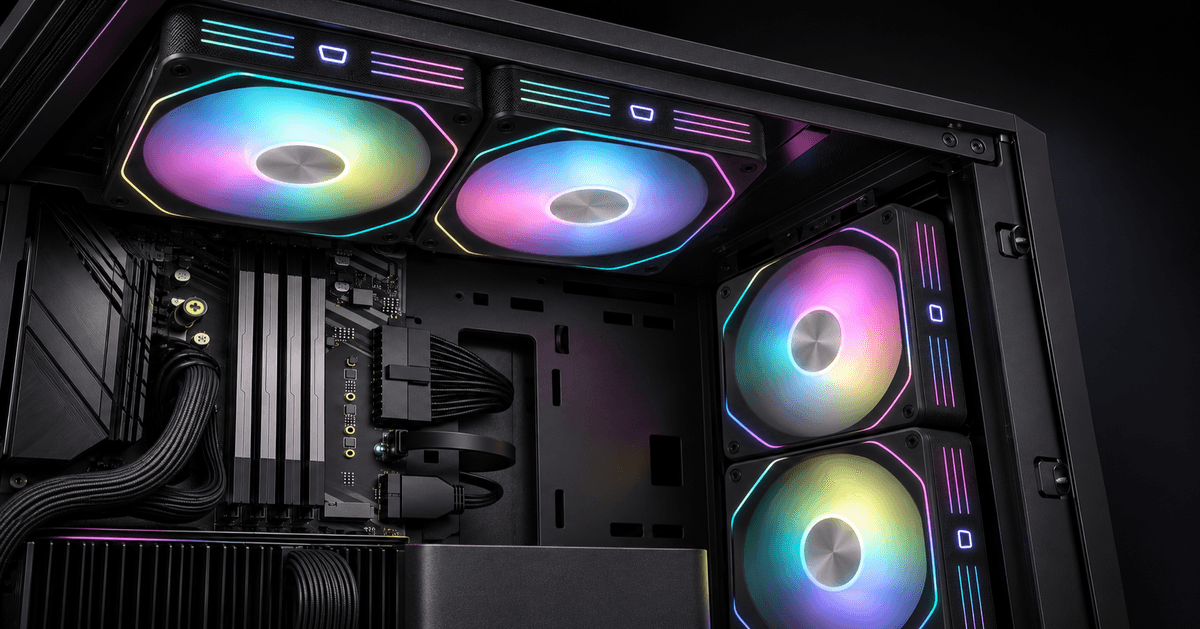
A PWM fan allows your PC to adjust fan speed automatically based on temperature.
Instead of running at one fixed speed all the time, the fan can slow down when the system is cool and speed up when more airflow is needed.
This can help balance cooling performance and noise.
What Does PWM Mean?
PWM stands for Pulse Width Modulation.
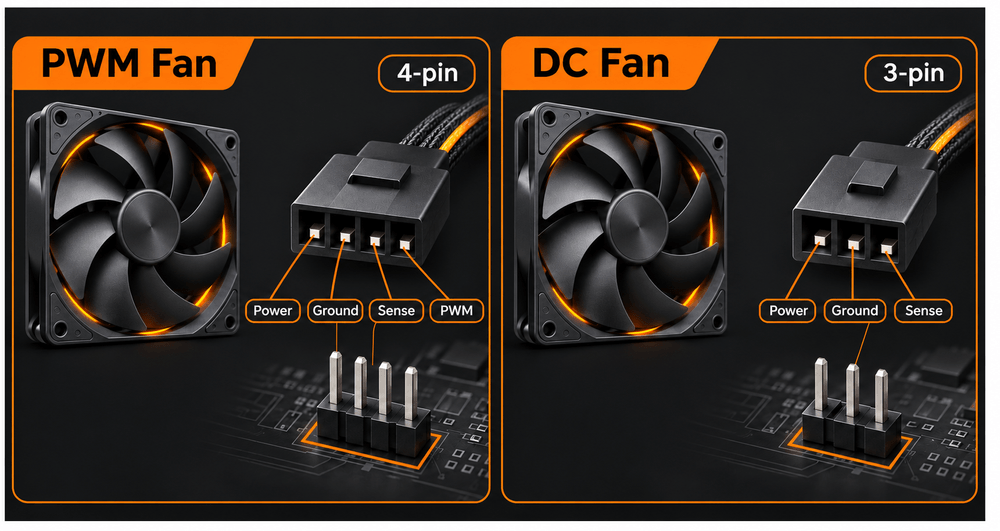
Most PWM PC fans use a 4-pin connector.
The four connections are typically used for:
Power
Ground
Speed monitoring
PWM control signal
The control signal tells the fan how fast it should run without simply changing the main power supply to the motor.
This allows more precise speed control across a wider operating range.
PWM vs 3-Pin DC Fans
A traditional 3-pin fan usually adjusts speed by changing the voltage supplied to the fan.
A 4-pin PWM fan receives constant power while its speed is controlled through a separate PWM signal.
In practice, both methods can provide variable fan speeds.
The main advantage of PWM is usually more precise and flexible control, especially at lower fan speeds.
However, the motherboard header and BIOS settings must support the correct control mode.
Why Does Fan Speed Control Matter?
Your PC does not need maximum airflow all the time.
During light tasks such as web browsing or document work, CPU and GPU temperatures may remain relatively low.
Running every fan at full speed in these situations can create unnecessary noise.
With fan speed control, your system can use:
Lower temperature → Lower fan speed
Higher temperature → Higher fan speed
This allows the cooling system to respond to workload instead of operating at one fixed speed.
What Is a Fan Curve?
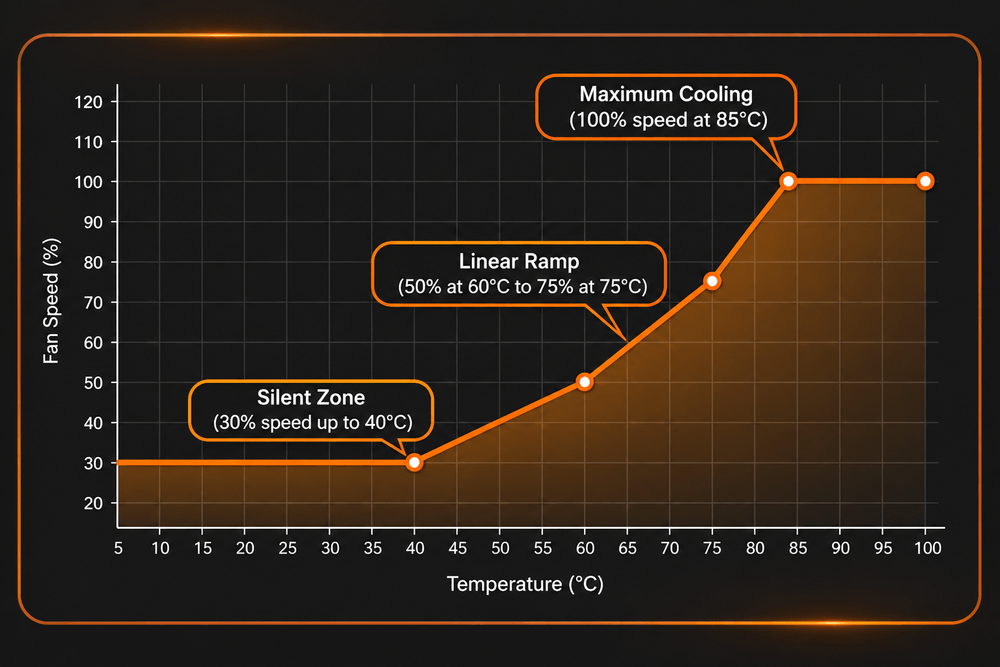
A fan curve determines how fast a fan runs at different temperatures.
For example, a fan may run slowly when the system is cool, then gradually increase speed as temperatures rise.
A well-designed fan curve can help:
Reduce unnecessary noise
Maintain stable temperatures
Avoid sudden changes in fan speed
Adjust cooling to different workloads
There is no single fan curve that works best for every PC.
The ideal settings depend on your hardware, case airflow, fan characteristics, and noise preference.
Can You Use PWM Fans on Any Motherboard?
Many modern motherboards include 4-pin fan headers that support PWM control.
However, compatibility can vary.
Before installation, check:
Fan connector type
Motherboard header type
BIOS fan-control options
Maximum current supported by the header
If several fans are connected through a splitter or hub, also make sure the total power requirement stays within the supported limits.
Do You Need PWM Fans?
PWM fans are useful if you want better control over cooling and noise.
They are especially practical for systems where fan speed changes frequently with workload.
But PWM alone does not determine whether a fan is good.
Airflow, static pressure, noise, bearing design, RPM range, and overall build quality still matter.
The main benefit of PWM is simple:
It gives your system more control over when your fans need to run faster—and when they do not.