Single-tower and dual-tower CPU coolers use the same basic idea: heat pipes move heat away from the CPU, and fans push air through the heatsink fins.
The main difference is size.
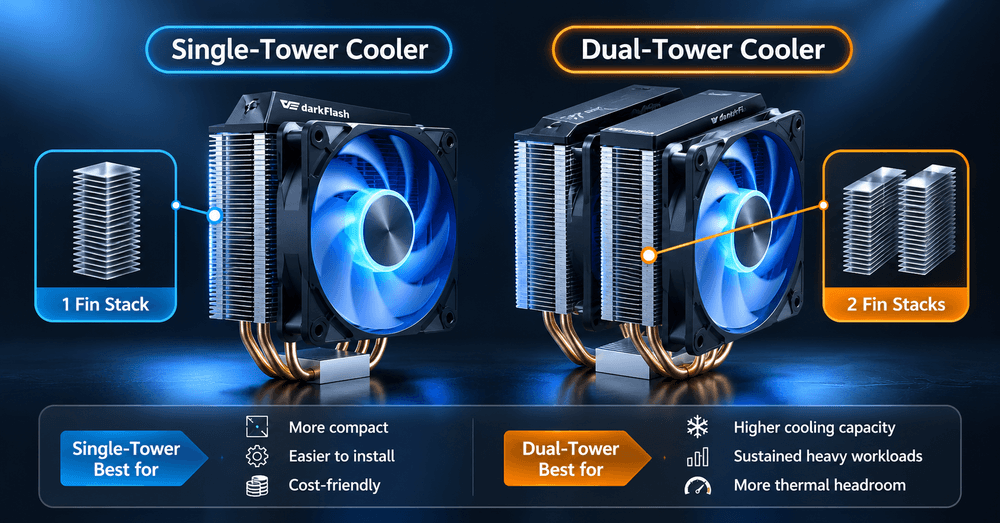
A dual-tower cooler uses two fin stacks, giving it more surface area for heat dissipation. But that extra cooling capacity also takes up more space inside the case.
So which one is right for your PC?
Single-Tower Coolers: Simpler and Easier to Fit
A single-tower cooler uses one heatsink stack and usually one or two fans.
Its main advantages are:
Smaller size
Easier installation
Better RAM clearance
Fewer case compatibility concerns
Lower cost in many cases
For gaming, everyday use, and many mainstream CPUs, a well-designed single-tower cooler can provide enough cooling without taking up unnecessary space.
This also makes it a practical choice for smaller cases or builds using tall memory modules.
Dual-Tower Coolers: More Cooling Capacity
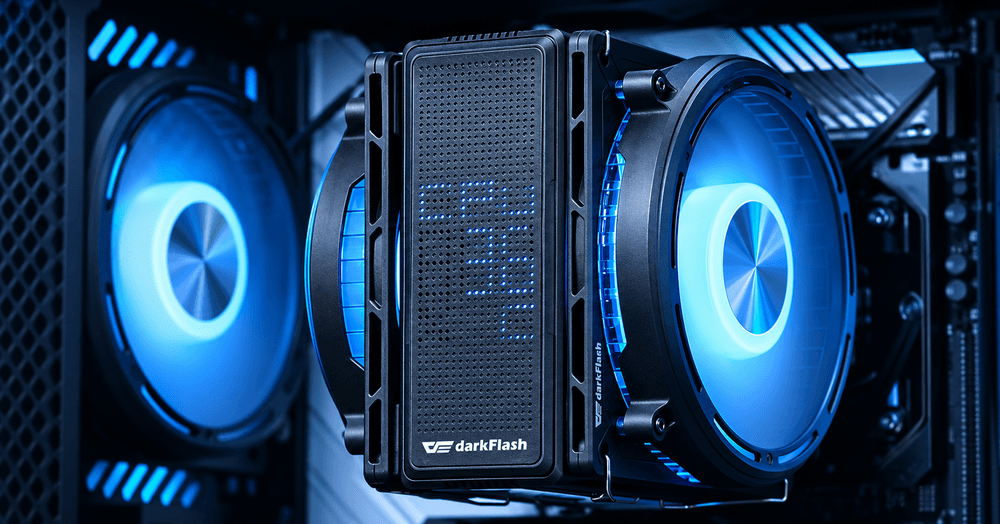
A dual-tower cooler uses two heatsink stacks, usually with one or two fans pushing air through them.
The additional fin area can provide more cooling capacity, especially during sustained CPU-heavy workloads such as:
Rendering
Encoding
Long productivity workloads
High-power CPU operation
The benefit becomes more important as the CPU produces more heat over longer periods.
However, a larger cooler is not automatically better for every system.
If your CPU does not generate enough heat to use the additional cooling capacity, the difference may be small.
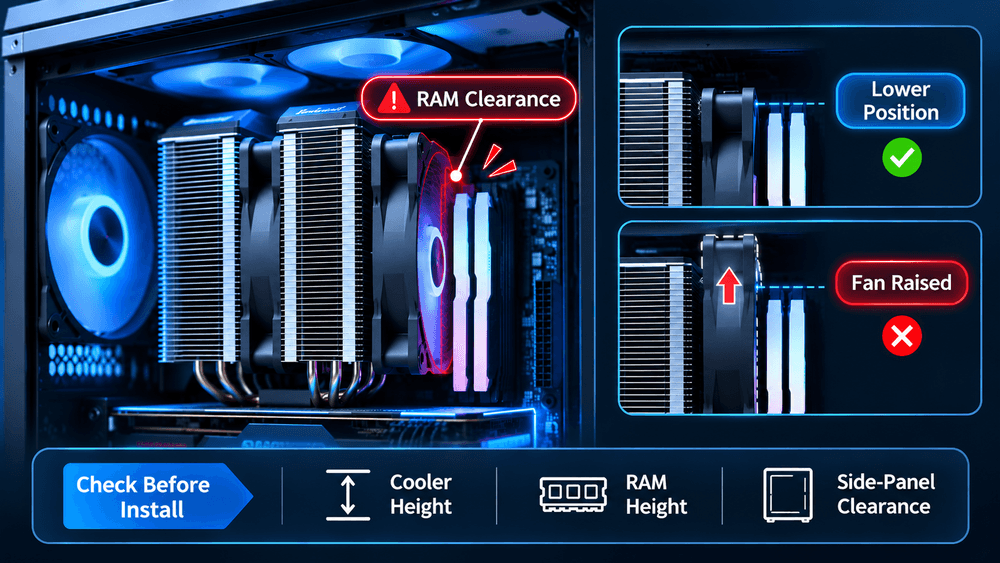
Check RAM and Case Clearance
Size is one of the biggest trade-offs with dual-tower coolers.
The front fan or heatsink may extend over the memory slots, which can create problems with taller RAM modules.
Before buying, check:
Maximum CPU cooler height
RAM clearance
Motherboard layout
Fan position
Side-panel clearance
Single-tower coolers are usually easier to fit, but you should still check the actual dimensions of the cooler and case.
Are Dual-Tower Coolers Louder?
Not necessarily.
Noise depends more on fan speed, fan design, heatsink resistance, and fan curves than on the number of fans alone.
A larger cooler may sometimes achieve the same CPU temperature with lower fan speeds.
On the other hand, two fans running aggressively can still produce more noise.
The important point is that fan count alone does not determine noise.
Which One Should You Choose?
Choose a single-tower cooler if you prioritize:
Easier installation
Better RAM clearance
Smaller case compatibility
Lower cost
Enough cooling for your normal workload
Choose a dual-tower cooler if you prioritize:
Additional cooling capacity
Sustained CPU-heavy workloads
More thermal headroom
Maximum air-cooling performance
There is no universal winner.
The better choice depends on your CPU workload, available space, RAM clearance, budget, and noise preference.
Before buying, check how much cooling your system actually needs instead of choosing the largest cooler available.