PC fans may look similar, but they are not all designed for the same job.
A fan used for open case ventilation may have different priorities from one mounted on a radiator or CPU heatsink. Instead of choosing a fan based on a single specification, it helps to first understand where it will be used and what your build actually needs.
Start With Where the Fan Will Be Used
Before comparing specifications, decide what the fan needs to do.
A case fan mainly helps move air through the system. A radiator fan needs to push air through the resistance created by radiator fins, while a replacement fan for an air cooler also needs to work effectively through a heatsink.
This is why the fan with the highest number on the specification sheet is not automatically the best choice for every position.
Check Size and Compatibility First
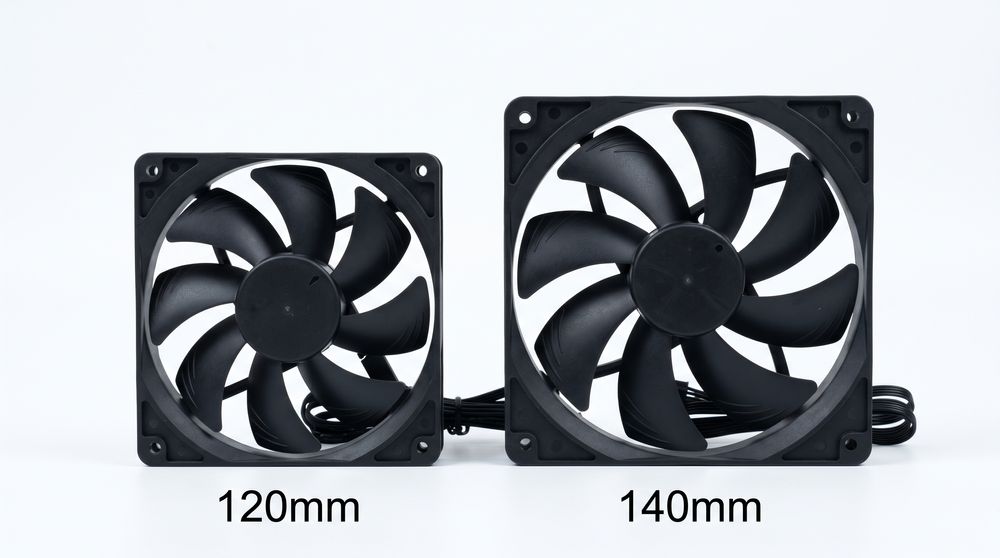
The most common PC fan sizes are 120mm and 140mm, but your case, radiator, or cooler must support the size you choose.
Also check more than just diameter.
Fan thickness, mounting locations, radiator clearance, and nearby components can all affect compatibility.
A 140mm fan may offer advantages when there is enough space, but a well-matched 120mm fan can still be the better option when your case or cooling hardware is designed around that size.
Match the Fan Specs to the Job
Two specifications often appear when comparing cooling fans:
Airflow (CFM) describes how much air a fan can move.
Static Pressure (mmH₂O) describes how well a fan can move air through resistance such as radiator fins or a dense heatsink.
For relatively open case ventilation, airflow can be an important consideration.
For radiators, heatsinks, or restrictive filters, static pressure becomes more relevant.
You do not need to choose the highest possible value in every category. The better approach is to match the fan characteristics to where it will actually be installed.
Balance Speed, Noise, and Control
Higher RPM can increase cooling capability, but it can also increase noise.
That is why maximum RPM should not be viewed by itself.
Fans with PWM (Pulse Width Modulation) control can adjust their speed according to system demand. Instead of constantly running at maximum speed, the fan can slow down during lighter workloads and increase speed when additional cooling is needed.
For everyday use, this balance between cooling and acoustics can be more useful than simply choosing the fastest fan available.
Consider the Bearing for Long-Term Use
The bearing inside the fan affects how it operates over time.
Common designs include Fluid Dynamic Bearing (FDB), Hydraulic Bearing, and Sleeve Bearing. Bearing design can influence durability, operating noise, and stability.
Instead of treating bearing type as a performance number, think of it as part of the fan's long-term operating experience.
Think About the Build Experience Too
Cooling performance is important, but modern PC fans also affect how easy and clean the finished build can be.
Depending on your setup, you may also want to consider:
ARGB lighting
Daisy-chain connections
Cable management
PWM compatibility
Fan appearance and blade orientation
For showcase or panoramic builds, these details can matter almost as much as raw specifications.
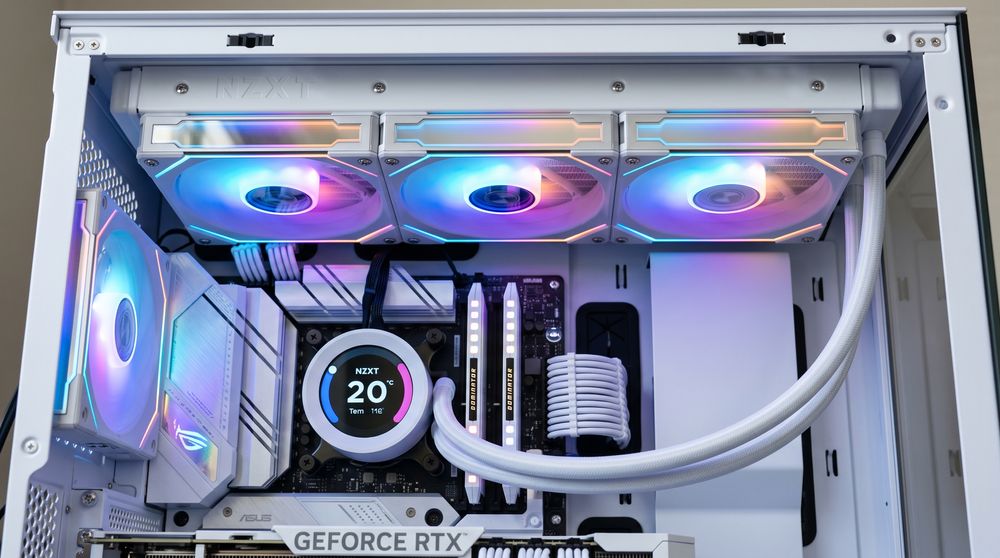
Choose the Fan That Fits the Job
There is no single PC fan that is best for every build.
Start with where the fan will be installed, confirm physical compatibility, and then compare airflow, static pressure, speed control, bearing design, and other features that matter to your setup.
The goal is not to find the fan with the biggest numbers.
It is to find the fan that best matches the job.