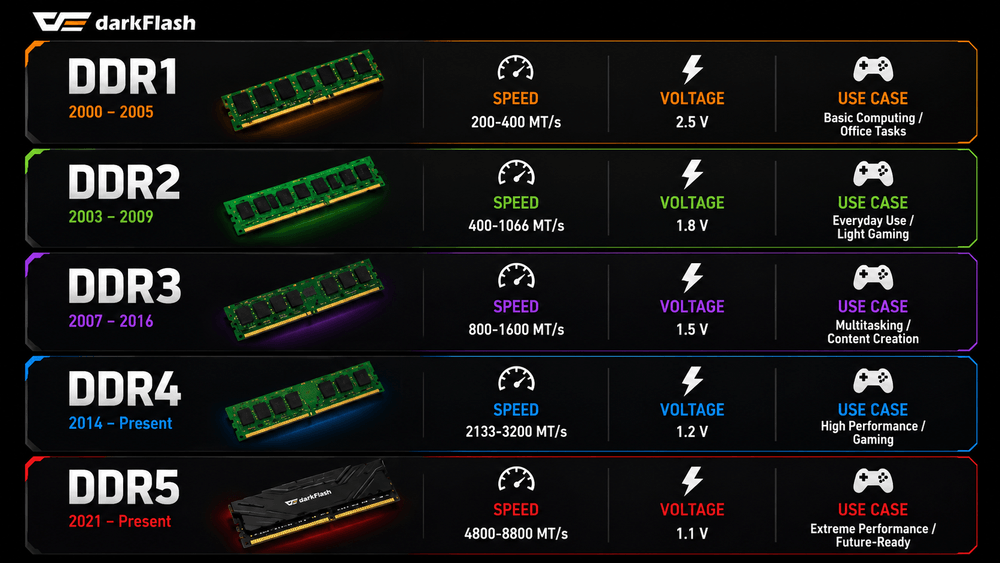
(Speed figures shown are based on official JEDEC specifications. Retail XMP/EXPO memory kits may operate at higher speeds. The DDR5 upper limit is based on JESD79-5C.)
When building a PC, memory is probably one of the easiest components to overlook. We spend hours comparing graphics card performance and studying motherboard power delivery, but when it comes to RAM, many people simply check whether the capacity is enough.
However, over the past 25 years, the evolution from DDR1 to DDR5 has brought much bigger changes than you might expect. More importantly, the DDR generation directly determines whether a memory module is even compatible with your motherboard.
22× Faster, While Voltage Has Dropped by More Than Half
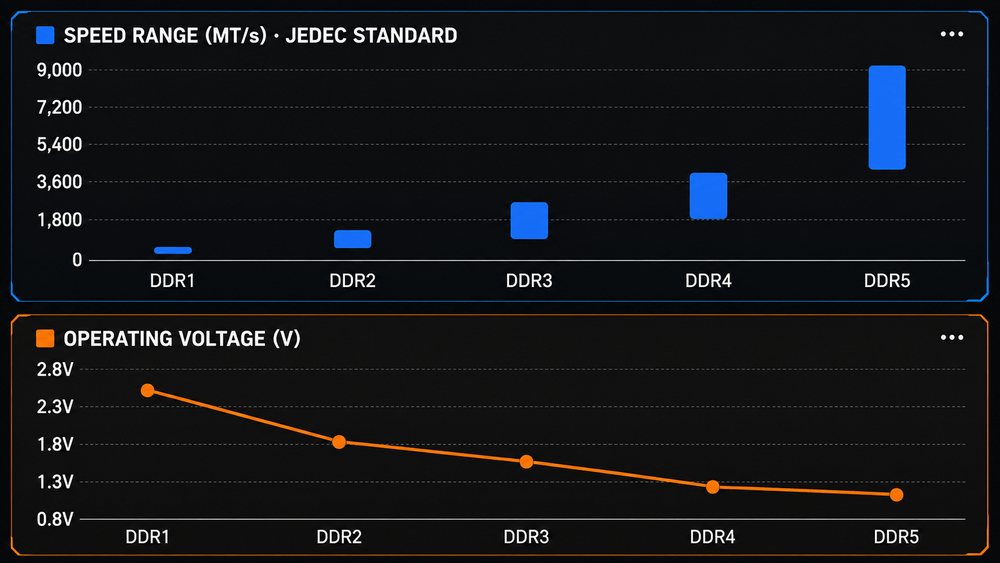
(Speed ranges are based on official JEDEC specifications. Because DDR5 covers a much wider range, the differences between earlier generations may appear compressed in the chart,Standard operating voltage for each DIMM generation. Note that the vertical axis starts at 0.8 V rather than zero.)
DDR1 entered the market around 2000, with JEDEC-defined speeds ranging from 200 to 400 MT/s and an operating voltage of 2.5 V. At the time, even a 512 MB memory module was considered a substantial upgrade, primarily used for office applications and early PC gaming.
DDR2 pushed speeds up to 1066 MT/s while reducing operating voltage to 1.8 V. DDR3 continued the trend, reaching speeds of up to 2133 MT/s while lowering voltage further to 1.5 V.
DDR4 marked a major turning point. Introduced in 2014, its standard speeds started at 1600 MT/s and reached up to 3200 MT/s, while operating voltage dropped significantly to just 1.2 V.
Then came DDR5. Its baseline speed starts at 4800 MT/s, and JEDEC has since extended the official specification up to 8800 MT/s, while standard operating voltage has been reduced to 1.1 V.
Over roughly 25 years, the maximum standardized transfer rate has increased by around 22 times, while operating voltage has dropped to less than half of what DDR1 required,There is one important detail to keep in mind: these figures represent official JEDEC specifications.
Many retail memory kits support Intel XMP or AMD EXPO profiles, allowing them to operate beyond standard JEDEC speeds. So if you see a DDR5-6000 kit on the market, there is no contradiction — that higher speed is typically achieved through an overclocking profile.
DDR4 Isn't Gone — and DDR5 Isn't Always a Necessary Upgrade
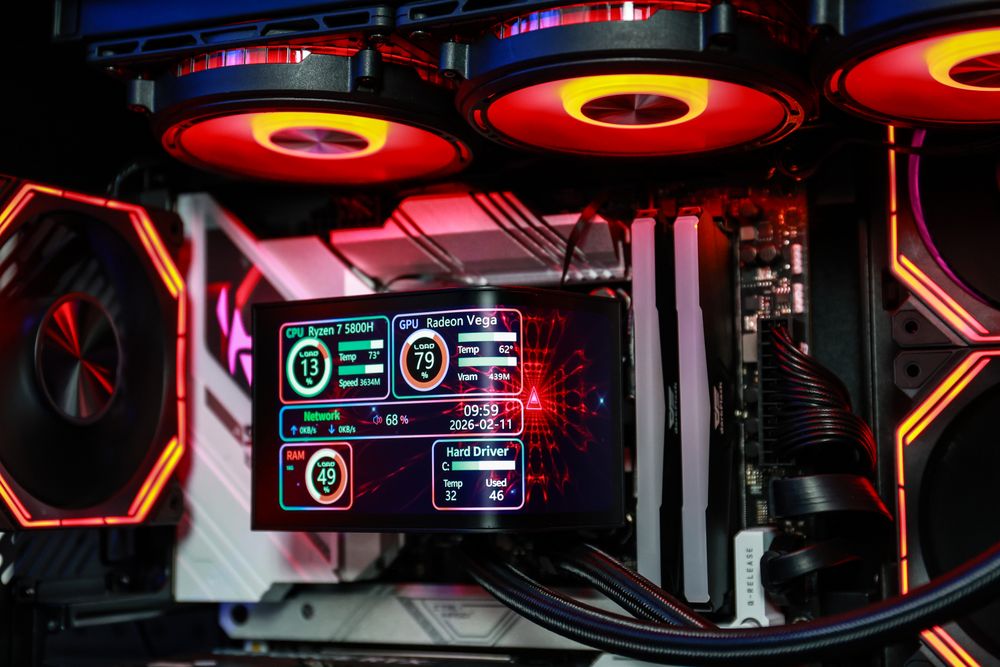
You may come across articles describing DDR4 as a “2014–2020” technology, which can make it sound as if DDR4 has already disappeared from the market.
That isn't the case.
DDR4 memory modules and compatible motherboards are still widely available, and DDR4 remains more than capable of handling mainstream gaming and multitasking workloads.
The decision is actually fairly straightforward.
If you're building an entirely new PC around a recent platform, DDR5 is generally the better choice. It offers greater bandwidth and provides more room for future upgrades.But if you already own a capable DDR4 system, replacing the memory platform usually isn't the most noticeable upgrade you can make.
In many cases, putting that budget toward a faster graphics card or SSD will deliver a much bigger improvement. Moving from DDR4 to DDR5 may also require replacing both the motherboard and CPU, depending on your current platform.
Why Can't You Install Older DDR Memory in a New Motherboard?
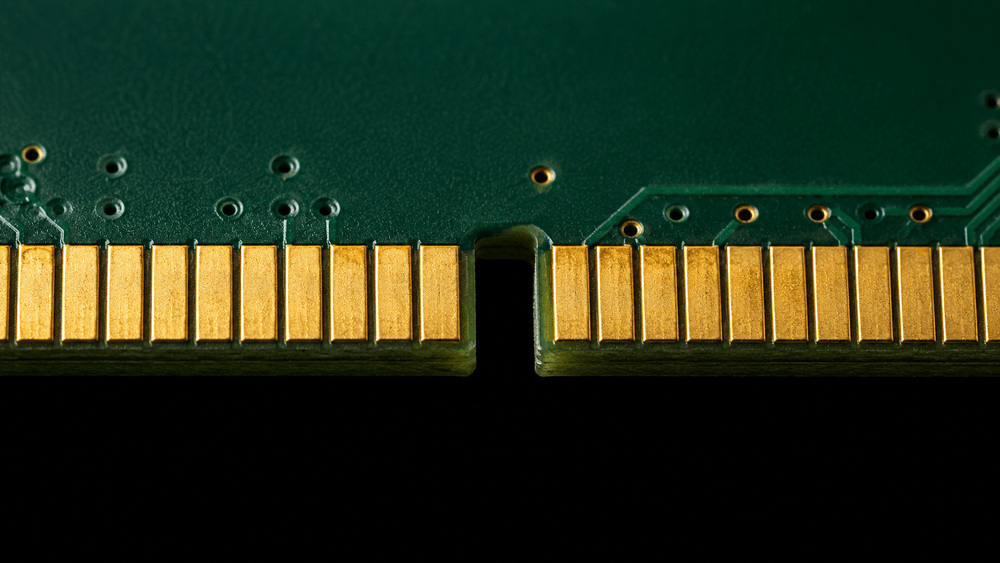
The key notch on the memory module moves between generations. If the module doesn't fit into the slot, it is likely the wrong DDR generation — not simply misaligned.
Each DDR generation uses a different pin configuration and key-notch position.
DDR1 uses 184 pins. DDR2 and DDR3 both use 240 pins, but their notch positions are different. DDR4 and DDR5 both use 288 pins, yet they also use different notch positions and are not interchangeable.
This isn't simply a design choice to make upgrades more complicated.
Different DDR generations use different operating voltages, electrical characteristics, and signaling standards. Making the modules physically incompatible helps prevent users from installing the wrong memory into a motherboard and potentially damaging the hardware.
That's why checking which DDR generation your motherboard supports should always come before comparing memory speeds.
Frequently Asked Questions
Is DDR5 always faster than DDR4?
In terms of memory bandwidth, yes. However, the difference in actual gaming performance may be relatively small depending on the game and hardware configuration, as the graphics card is often the primary performance bottleneck.
DDR5 tends to show more noticeable advantages in bandwidth-intensive workloads such as video editing, heavy multitasking, content creation, and high-resolution streaming.
Can I mix different DDR generations?
No. Different DDR generations use physically incompatible memory slots.
Even within the same DDR generation, it's generally recommended to purchase a matched memory kit. Mixing different modules can introduce differences in memory timings, ICs, voltage requirements, or other characteristics that may affect stability.
Is lower memory voltage always better?
Lower voltage generally means lower power consumption and less heat at a given level of performance, which can be particularly useful in compact PC builds.
However, memory stability depends on several factors, including the memory ICs, operating frequency, timings, memory controller, and motherboard. Voltage alone doesn't determine whether a memory configuration is better or more stable.
Conclusion
When choosing memory for your PC, follow a simple order:
Check motherboard compatibility first, choose the DDR generation second, and compare speed and timings last.
If you're building a brand-new PC on a modern platform, DDR5 is generally the way to go.
If you already have a capable DDR4 system, however, your upgrade budget may be better spent on components that provide a more noticeable performance improvement. As for capacity, 32 GB has become a comfortable starting point for modern gaming PCs, especially if you multitask, stream, or keep multiple applications running in the background.
16 GB is still usable, but it's becoming increasingly limiting for newer games and heavier workloads.