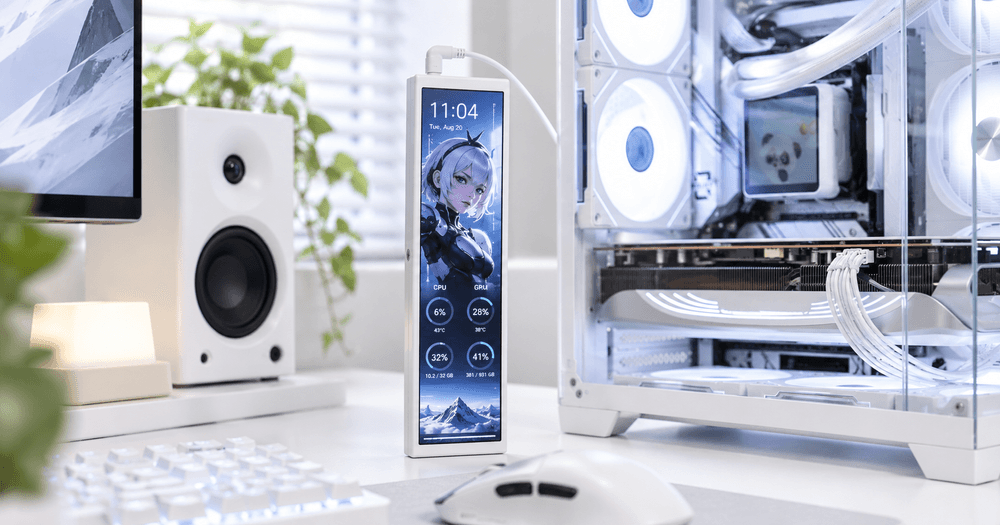
The darkFlash V92 combines a slim 9.2-inch IPS display with flexible horizontal or vertical installation options.
A Compact Display Built for Your Setup
The darkFlash V92 features a 9.2-inch IPS panel with a 1920 × 462 resolution and 60Hz refresh rate, providing a wide canvas for system information and customized content.
Its aluminum alloy enclosure gives the display a clean, premium appearance, while support for both horizontal and vertical installation makes it easier to integrate into different PC setups.
For builders with a tempered-glass case, the V92 can also become a visible part of the overall PC design rather than simply another piece of hardware.
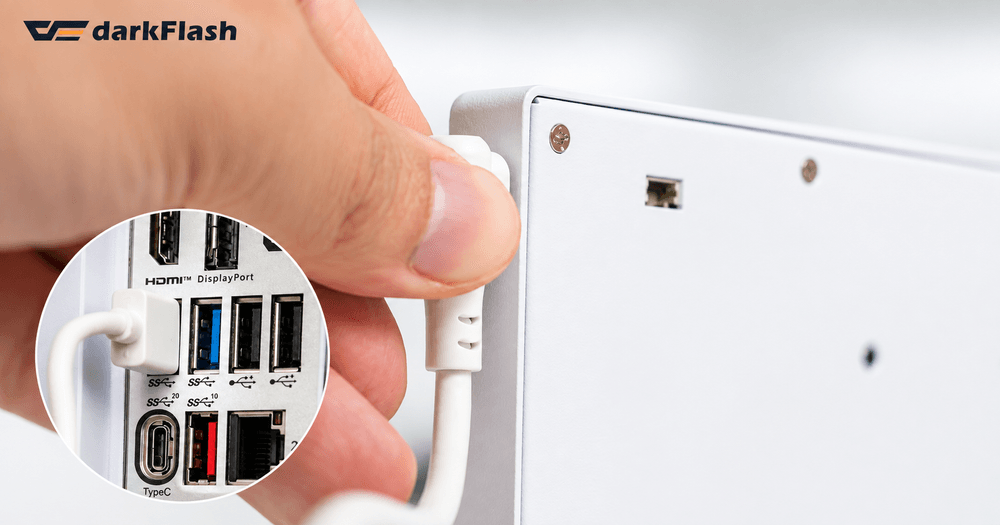
USB connectivity helps the V92 integrate cleanly into a PC setup without requiring an additional GPU display output.
Simple USB Connectivity
One feature Franklin particularly appreciated is that the V92 does not require a traditional HDMI or DisplayPort connection.
Instead, it can connect through USB Type-C or an internal USB 2.0 9-pin connection, helping users avoid occupying an additional GPU display output.
This makes the V92 especially suitable for installation inside a PC case, where cleaner cable management can make a noticeable difference.
It is important to note that the V92 is primarily designed as a system monitoring and customization display, rather than a small conventional monitor for running Windows applications.
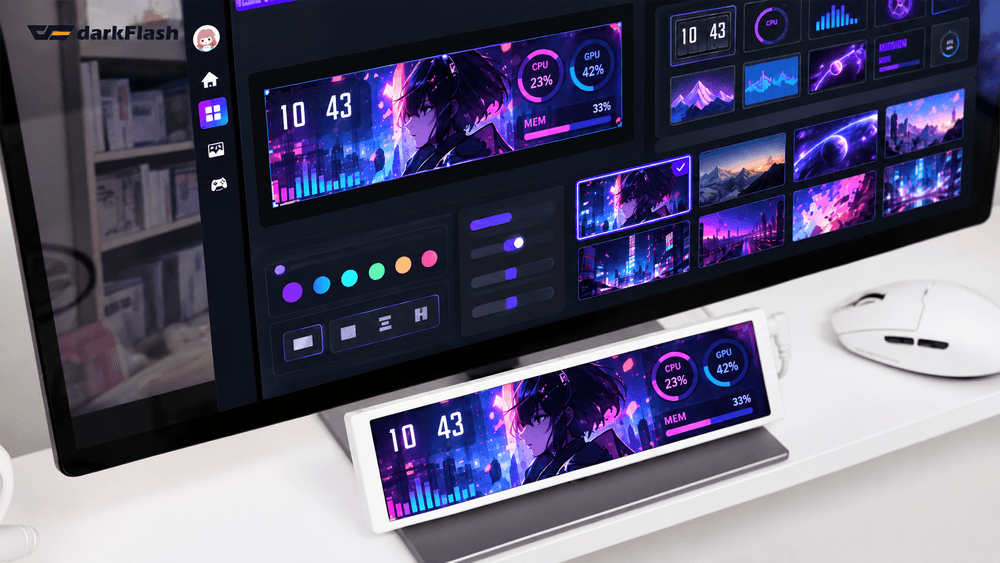
Customize the V92 with real-time system data, graphics, animations, and layouts that match your PC setup.
Make It Your Own
Customization is one of the strongest parts of the V92 experience.
Through the accompanying software, users can create a dashboard that matches the style and purpose of their setup. Depending on the selected layout, the display can be used for information such as:
CPU and GPU temperatures
CPU and GPU utilization
Memory information
Time and date
Weather information
Stock information
Custom logos and artwork
GIF animations
MP4 videos
For PC enthusiasts, this creates another opportunity to make a build feel unique. Instead of relying entirely on RGB lighting, users can add animated artwork, branding, gaming visuals, or a customized system-monitoring layout.
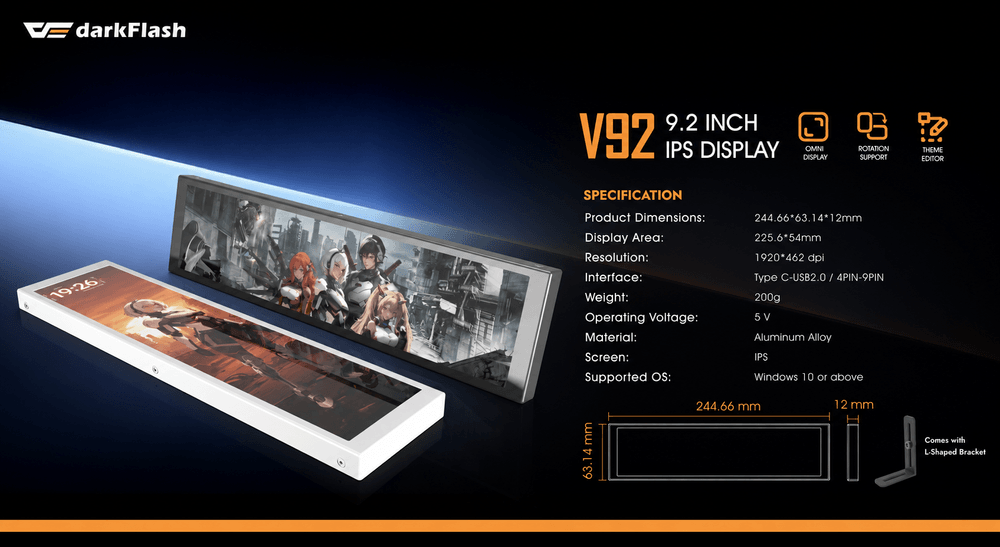
Keep key system information visible while gaming without taking up space on your main display.
A Useful Addition for PC Gamers
For gamers with a showcase-style PC, the V92 can serve both practical and visual purposes.
System temperatures and resource usage can remain visible while gaming without requiring another monitoring window to cover part of the main display.
At the same time, users can coordinate the V92 with their PC theme, RGB lighting, favorite game artwork, or other custom graphics.
The result is a display that can become part of the overall personality of the build.
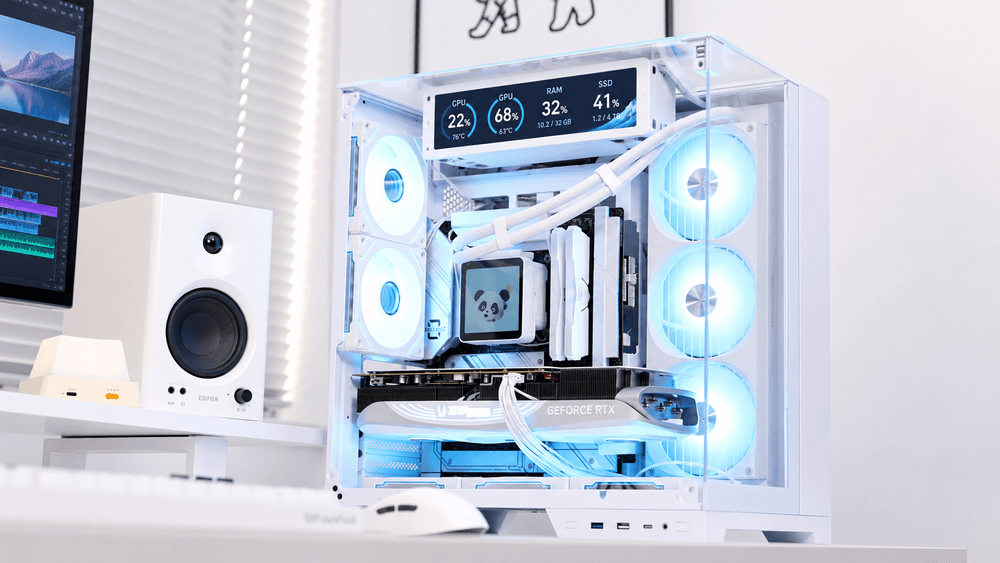
The V92 provides at-a-glance system monitoring during rendering, editing, and other demanding workloads.
Useful for Content Creators, Too
Franklin also highlighted the V92's usefulness during demanding workloads such as video rendering, encoding, and media processing.
For creators who already have multiple applications open, having key system information displayed separately can help keep the primary monitors focused on the actual project.
Streamers and creators can also use custom logos, GIFs, artwork, or videos on the V92 when their PC appears on camera, allowing the display to become part of the visual presentation of their setup.
However, the V92 should not be confused with a Stream Deck. It is a customizable display rather than a set of programmable control buttons.
More Than Just a PC Decoration
While the V92 can certainly enhance the appearance of a PC, its appeal goes beyond aesthetics.
For gamers, creators, workstation users, and PC enthusiasts, having system information available at a glance can make monitoring hardware more convenient.
At the same time, customizable graphics and media allow the display to reflect the personality of each individual setup.
That balance between system monitoring and personalization is what stood out most in Franklin's experience with the darkFlash V92.
Final Thoughts
The darkFlash V92 brings together a 9.2-inch 1920 × 462 IPS display, flexible installation, USB connectivity, system monitoring, and extensive visual customization in one compact device.
For anyone looking to add another layer of personality to a PC while keeping useful system information visible, the V92 offers an interesting alternative to a traditional secondary display.
As Roderick A. Franklin's hands-on experience with the V92 shows, sometimes a PC upgrade doesn't need to make your computer faster—it can simply make the entire setup feel more personal.