Air coolers may look simple, but their performance depends on how efficiently heat can move from the CPU into the heatsink—and then into the surrounding air.
That means looking at the cooler as a complete system rather than judging it by just one specification.
Here are three areas worth paying attention to when comparing air coolers.
1. Heat Pipes and CPU Contact
Heat first needs to move away from the CPU.
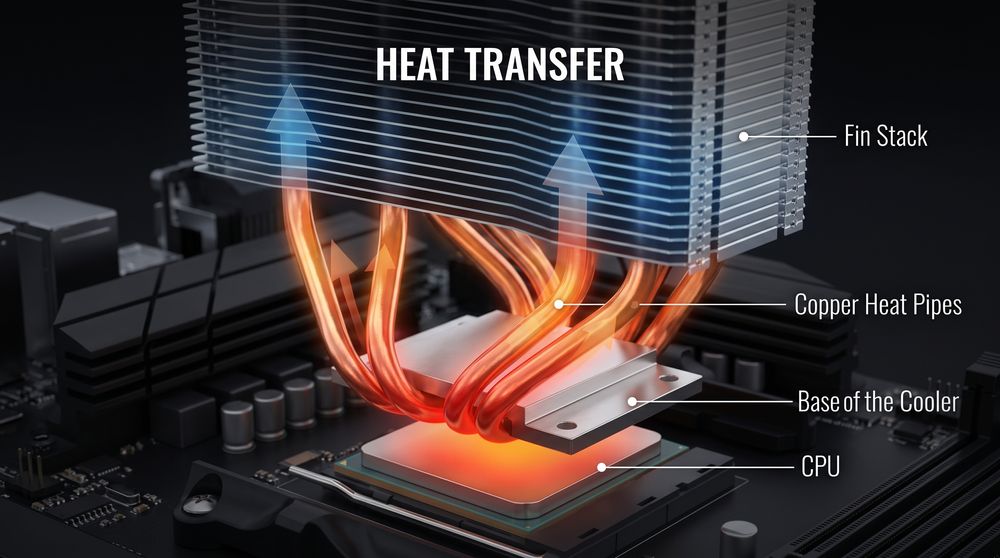
The base of the cooler transfers heat from the CPU into the heat pipes, which then spread that heat across the fin stack.
More heat pipes can increase heat-transfer capacity, especially under heavier thermal loads, but the number alone does not guarantee better cooling. Their placement, contact quality, diameter, and overall heatsink design also matter. Modern high-performance coolers often combine multiple heat pipes with carefully optimized layouts.
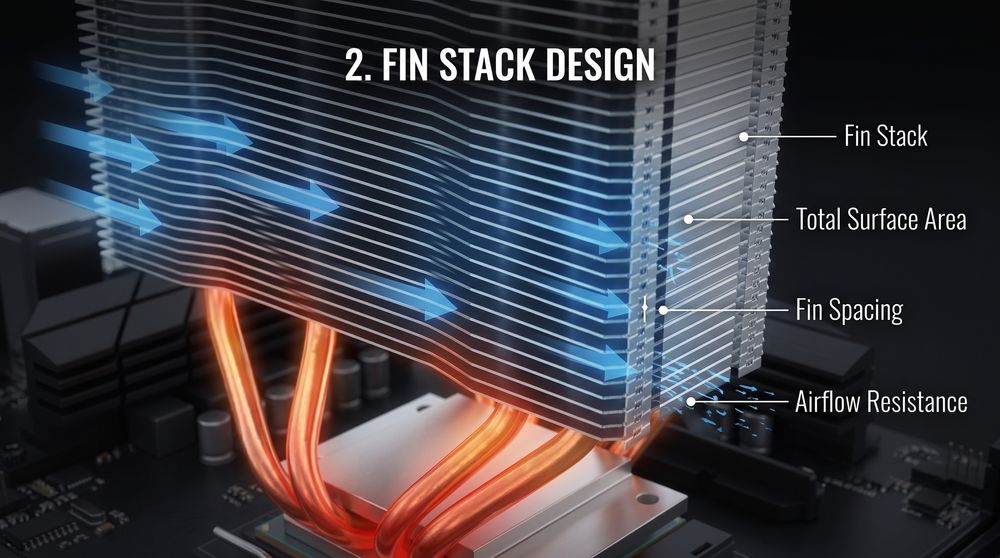
2. Fin Stack Design
Once heat reaches the heatsink, the cooling fins provide a large surface area for transferring that heat into the air.
But more fins are not automatically better.
Fin spacing, total surface area, heatsink size, and how easily air can pass through the tower all work together. A denser fin stack can increase surface area, but it also creates more airflow resistance and may require a fan that can maintain enough pressure through the heatsink. Current cooler designs often optimize the fin stack and fan together for this reason.
3. Fan Performance Matters Too
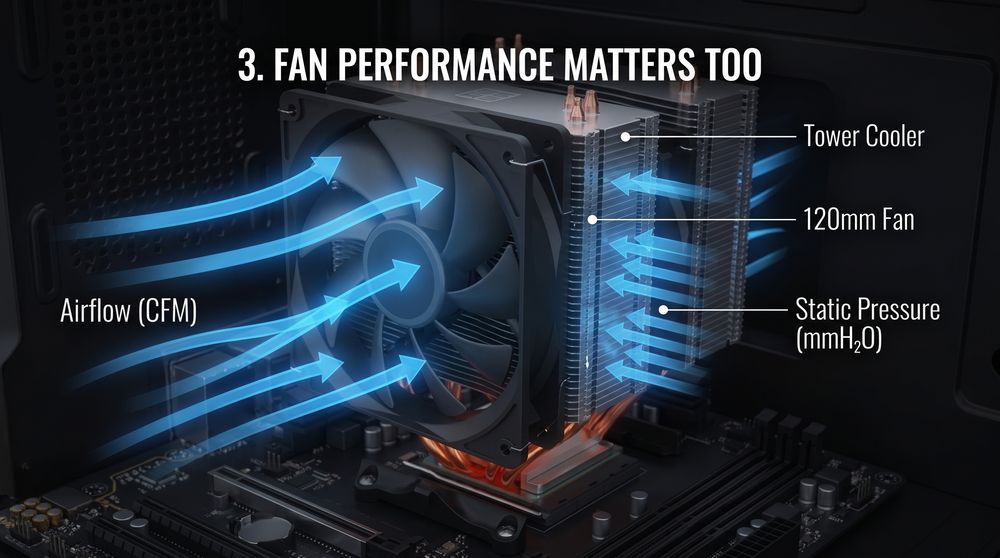
The fan is what moves heated air away from the fins.
When comparing cooler fans, specifications such as Airflow (CFM) and Static Pressure (mmH₂O) can help explain how the fan behaves.
Airflow describes how much air the fan can move, while static pressure becomes especially important when air needs to pass through a restrictive fin stack.
However, the highest CFM or static-pressure number does not automatically make a cooler better. Real-world performance depends on how well the fan and heatsink are designed to work together.
Don’t Forget Compatibility
Cooling performance is important, but the cooler still needs to fit your build.
Before choosing an air cooler, check:
CPU socket support
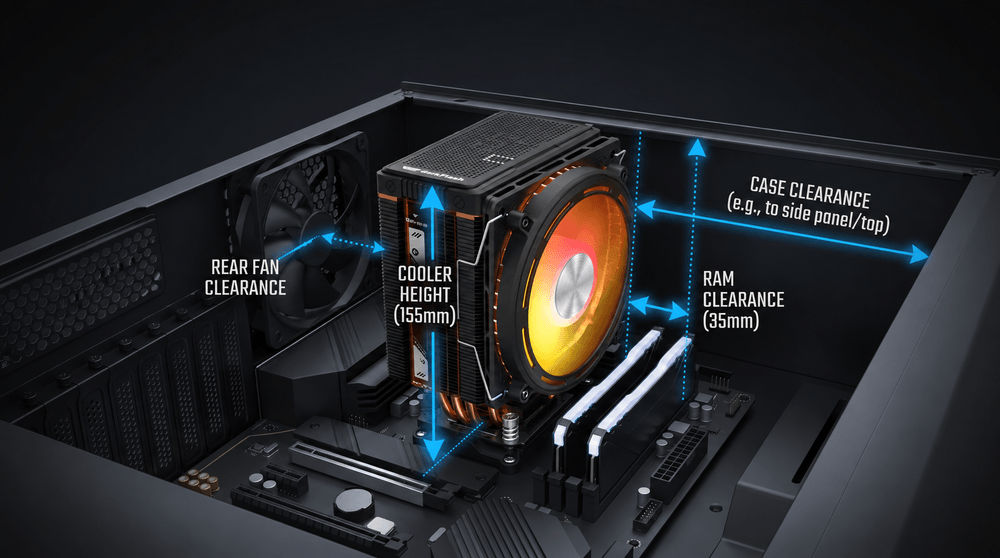
Cooler height
RAM clearance
Case CPU cooler clearance
Fan and motherboard compatibility
For example, the darkFlash EXPLORE E400 Air uses four copper heat pipes with a 120mm fan and has a total height of 155mm, so case clearance should be checked before installation.
Look at the Whole Cooler
There is no single specification that determines air cooler performance.
Heat pipes move heat, cooling fins provide surface area, and the fan carries that heat away.
The best way to compare air coolers is to look at how these parts work together—and whether the complete cooler fits the CPU, case, and type of PC you are building.