Can bottom intake fans lower CPU temperatures? They can reduce the amount of hot GPU exhaust reaching the CPU cooler, but the widely reported 13°C improvement refers to cooler intake air in one simulation, not a guaranteed 13°C drop in CPU core temperature.
A recent computational fluid dynamics simulation from Inviscid AI has renewed the debate over traditional PC airflow. Its results suggest that adding fresh air from the bottom of a gaming PC may reduce heat recirculation around the graphics card and CPU cooler.
The findings are interesting, especially for modern systems with large, high-power GPUs. However, they should be understood as the result of one simulated configuration rather than a universal rule for every PC case.
Why GPU Exhaust Can Raise CPU Cooler Intake Temperatures
The traditional gaming PC airflow layout uses front fans as intake, with rear and top fans exhausting warm air. This configuration is simple, widely supported, and still effective in many systems.
The potential problem is what happens after the incoming air passes through the graphics card. Most modern graphics cards draw air through their heatsinks and release the warmed air back inside the case. Part of that heat can rise toward the CPU area before reaching the rear or top exhaust fans.
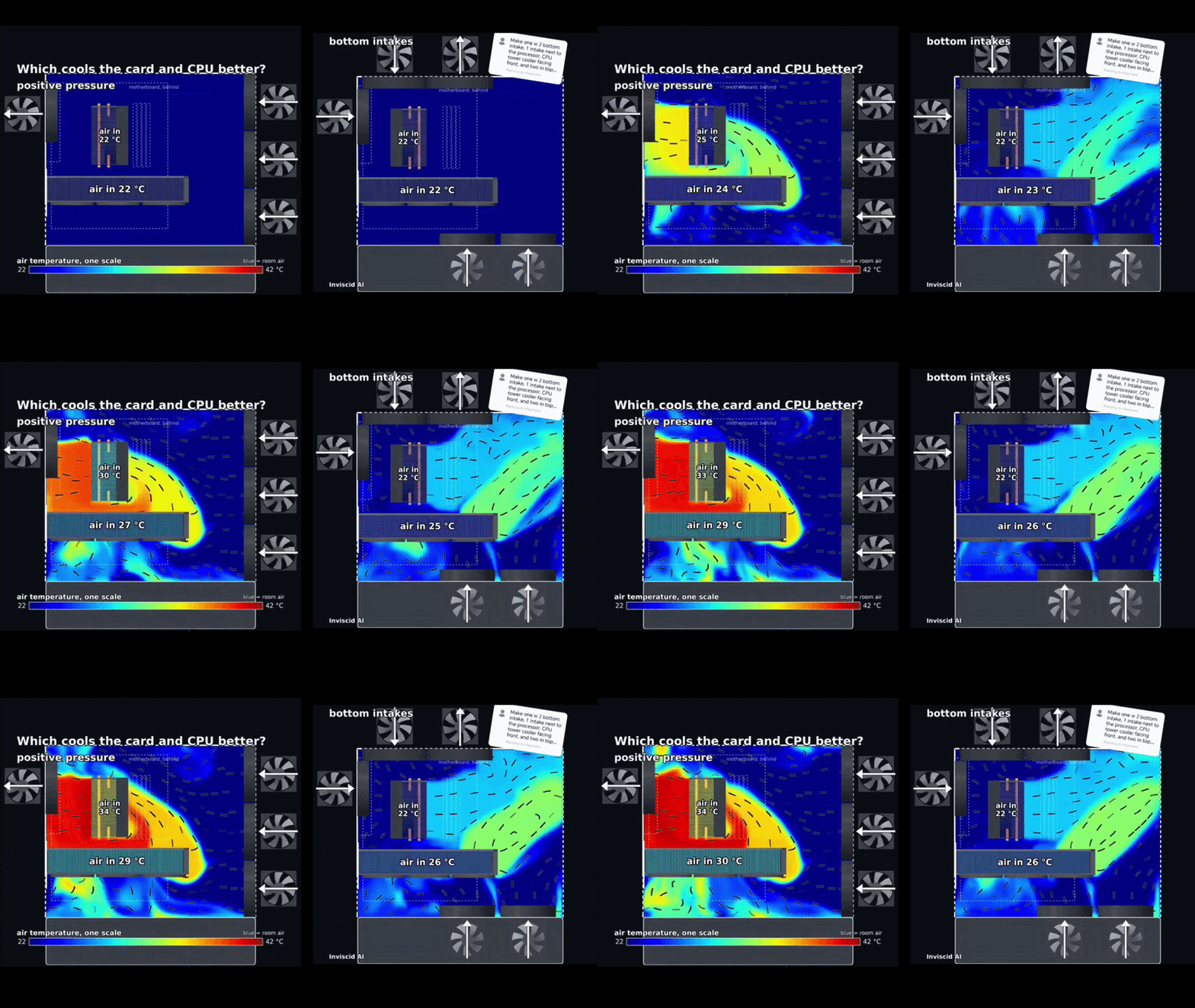
In the standard configuration modeled by Inviscid AI, the air entering the case began at approximately 22°C. As the simulation continued, GPU exhaust accumulated around the upper portion of the case, and the air reaching the tower CPU cooler reportedly rose to approximately 35°C.
This does not mean the CPU itself reached only 35°C. It means the CPU cooler was attempting to remove processor heat while drawing in air that was already considerably warmer than the room.
What the 13°C Bottom Intake Result Actually Means
Inviscid AI then simulated an alternative configuration that supplied ambient air from the bottom of the case. This upward airflow delivered cooler air more directly toward the graphics card and helped move GPU exhaust toward the case’s exhaust openings.
Under the conditions used in the simulation:
CPU cooler intake air remained close to the 22°C ambient temperature.
The conventional configuration produced CPU cooler intake air of approximately 35°C.
The resulting difference was as much as 13°C.
Air below the graphics card was reportedly reduced from approximately 30°C to 26°C.
The important distinction is that these figures describe air temperature at specific measurement locations. They do not prove that the processor’s package or core temperature will fall by the same amount.
Cooler design, CPU power consumption, fan speed, thermal paste, ambient temperature, GPU cooler orientation, and case geometry will determine how much of that cooler intake air translates into lower component temperatures. Other coverage of the simulation has raised the same qualification: the result is promising, but it is not a guaranteed improvement for every PC. One analysis of the simulation explains the limitation here.

How OpenReynolds Uses AI for PC Airflow Simulation
The experiment was created with OpenReynolds, an open-source project that combines an AI agent with a real OpenFOAM computational fluid dynamics workspace.
Traditional CFD analysis requires engineers to define the geometry, divide the space into a computational mesh, select appropriate solvers, configure boundary conditions, monitor convergence, and interpret the results. The calculations still come from a numerical physics solver, but preparing and managing the workflow can require considerable specialist knowledge.
According to the official OpenReynolds repository, users can describe the geometry, fluid, speed, and measurement goal. The agent then helps create the case, generate the mesh, launch the OpenFOAM solver, read residuals, inspect rendered results, and return the relevant files.

This does not mean AI is guessing the temperature distribution or replacing fluid dynamics with an image generator. The AI manages the workflow, while OpenFOAM performs the numerical calculation. The results still depend on the accuracy of the geometry, heat loads, fan curves, boundary conditions, turbulence model, mesh quality, and convergence.
For that reason, CFD is valuable for comparing airflow concepts, but physical measurements inside a real PC remain necessary before treating a simulated temperature difference as a confirmed product benchmark.
Should You Add Bottom Intake Fans to Your Gaming PC?
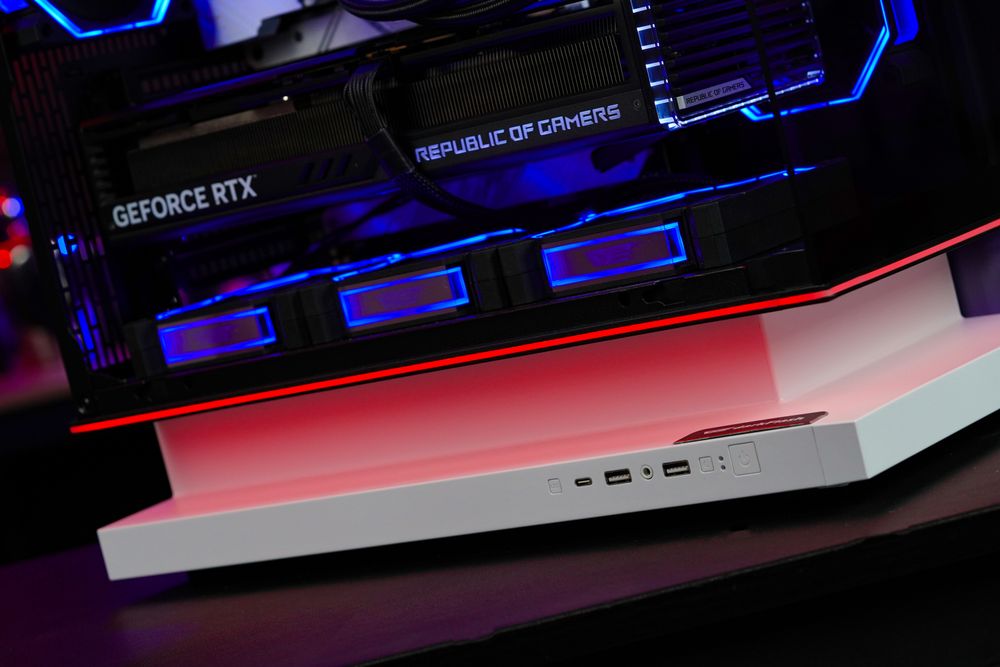
Bottom intake is most useful when the fans have a clear path to the graphics card. Panoramic and dual-chamber cases commonly use this layout because their glass front panels do not provide conventional front intake airflow.
Before adding bottom fans, check the following:
The case must have compatible bottom fan mounts.
There should be enough clearance below the case for air to enter.
A dust filter should cover the bottom intake.
Cables and the power-supply chamber must not obstruct airflow.
The GPU should have enough space above the fans.
Top and rear exhaust capacity should be sufficient to remove the added air.
Fan curves should be adjusted to balance cooling and noise.
More fans do not automatically produce better temperatures. A bottom fan positioned against a solid panel, thick cable bundle, or restrictive filter may deliver very little usable airflow. Excessive turbulence can also reduce efficiency or increase noise.
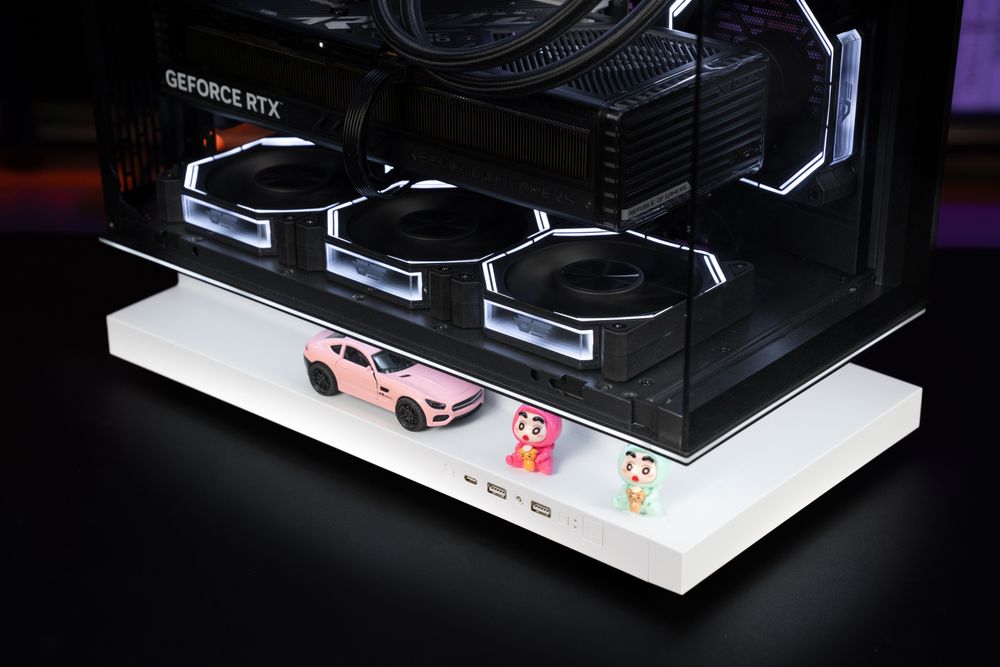
Cases designed around bottom and side intake provide more flexibility. For example, the global darkFlash FLOATRON F1 ATX PC Case supports three 120 mm fans at the bottom, two at the side, three at the top, and one at the rear. This allows builders to create a direct bottom-to-GPU airflow path while using the top and rear positions for exhaust.
Users should still test their own system. Record CPU and GPU temperatures, hotspot readings, fan speeds, and noise under the same workload before and after changing the fan configuration. Real measurements are more useful than assuming a specific simulation result will apply unchanged.
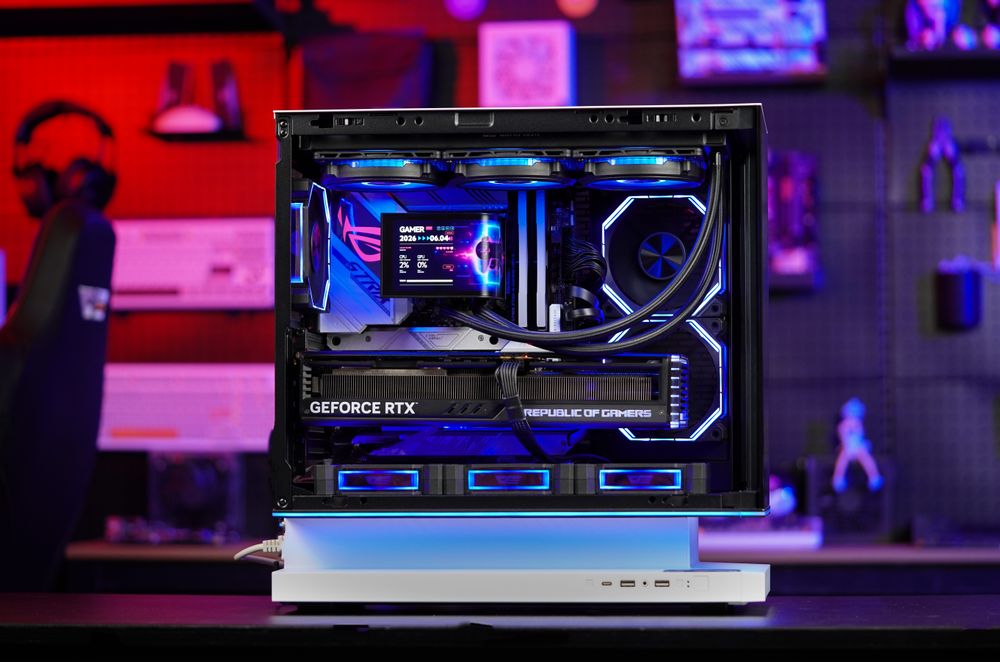
(darkFlash FLOATRON F1 ATX PC Case)
Final Thoughts: Is Bottom Intake Better Than Traditional Airflow?
Bottom intake can be highly effective in modern gaming PCs because it supplies fresh air directly beneath the graphics card and may reduce the amount of GPU exhaust recirculating into the CPU cooler.
However, the reported 13°C result should be described accurately. It was a difference in simulated CPU cooler intake-air temperature under a specific set of conditions, not a measured 13°C reduction in CPU core temperature and not a promise for every PC.
The practical lesson is not that traditional front-to-back airflow has suddenly become obsolete. It is that airflow should match the internal layout of the case. Conventional mesh-front cases may continue to perform well with front intake, while panoramic cases and systems with large GPUs may benefit more from bottom and side intake.
Choose a case with unobstructed fan mounts, adequate underside clearance, removable dust filters, and enough exhaust capacity. Then verify the result with your own temperature and noise testing rather than relying on fan direction alone.