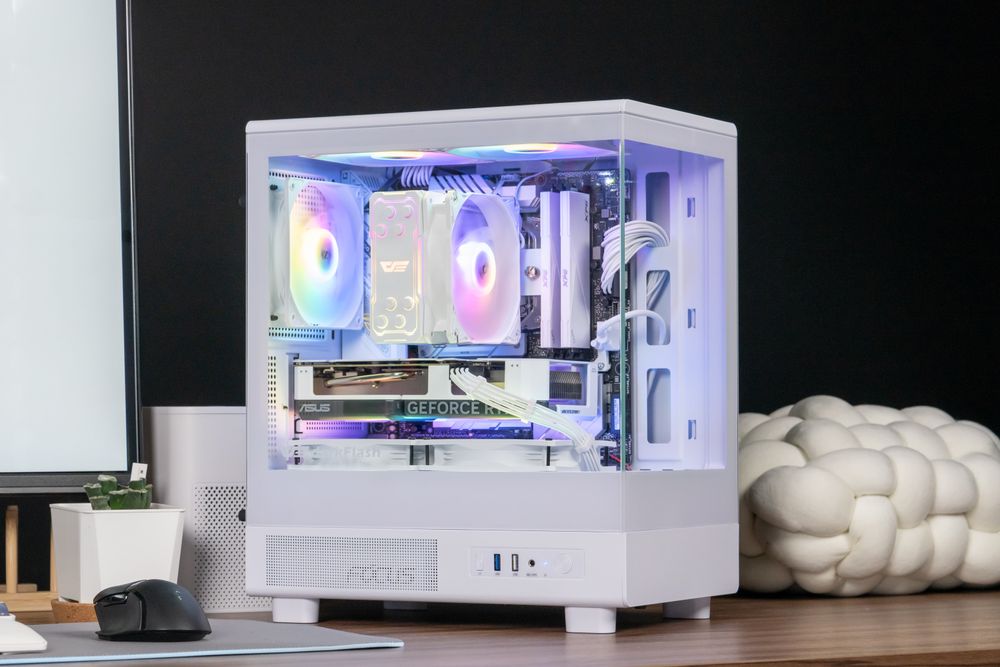
Is an RTX 3060 and 16GB RAM still enough for gaming in 2026? Yes, as long as you play at 1080p and are willing to use medium-to-high settings and DLSS in the heaviest new games.
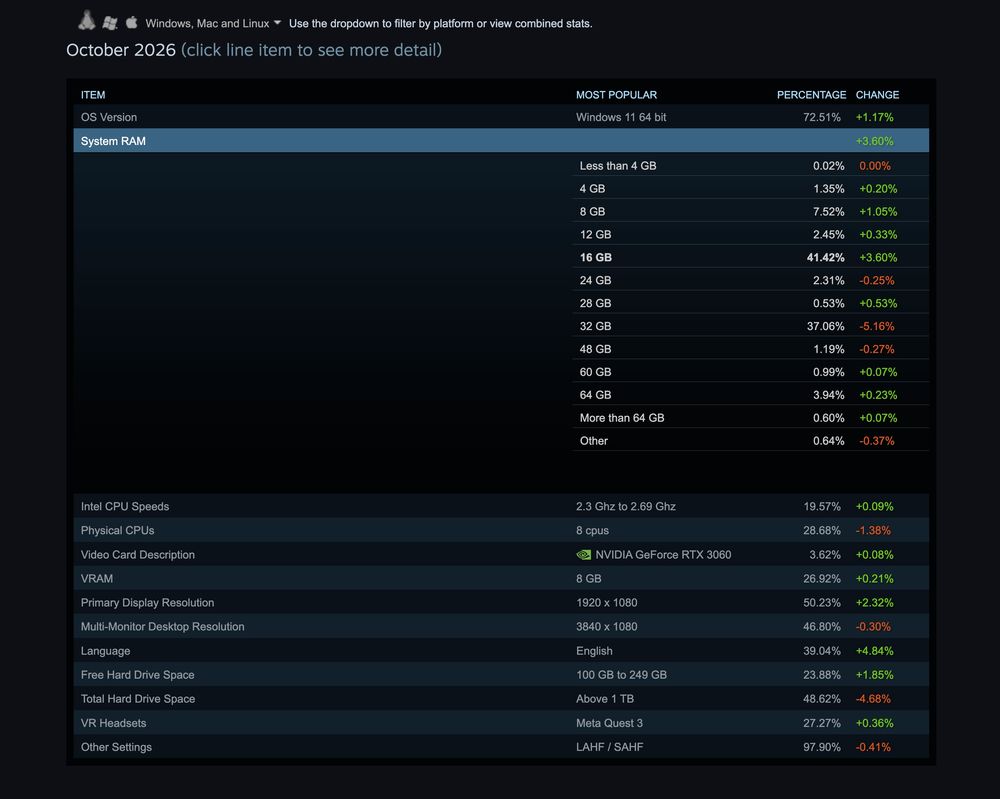
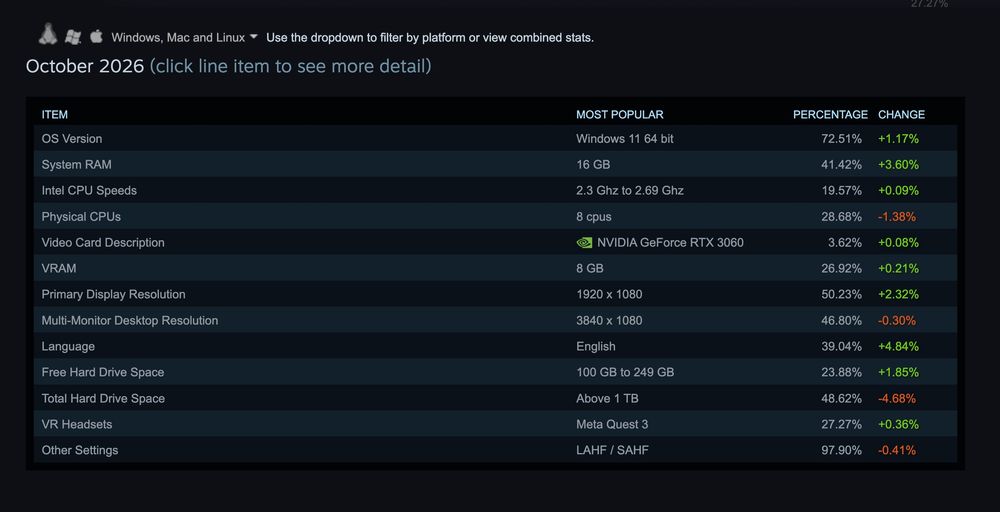
In Valve’s October 2026 Steam Hardware & Software Survey, the GeForce RTX 3060 is the most common graphics card at 3.62%, 16GB is the most common amount of system RAM at 41.42%, and 1920 × 1080 is still the primary display resolution for 50.23% of Steam users.
One caveat: Steam ranks parts separately, not combinations, and the RTX 3060’s lead is razor thin. Where this setup struggles is Ultra settings in the heaviest 2024–2026 releases, 1440p, and heavy multitasking.
Below is what the survey shows, how this hardware performs today, and which upgrades are worth doing first, especially with RAM prices where they are.
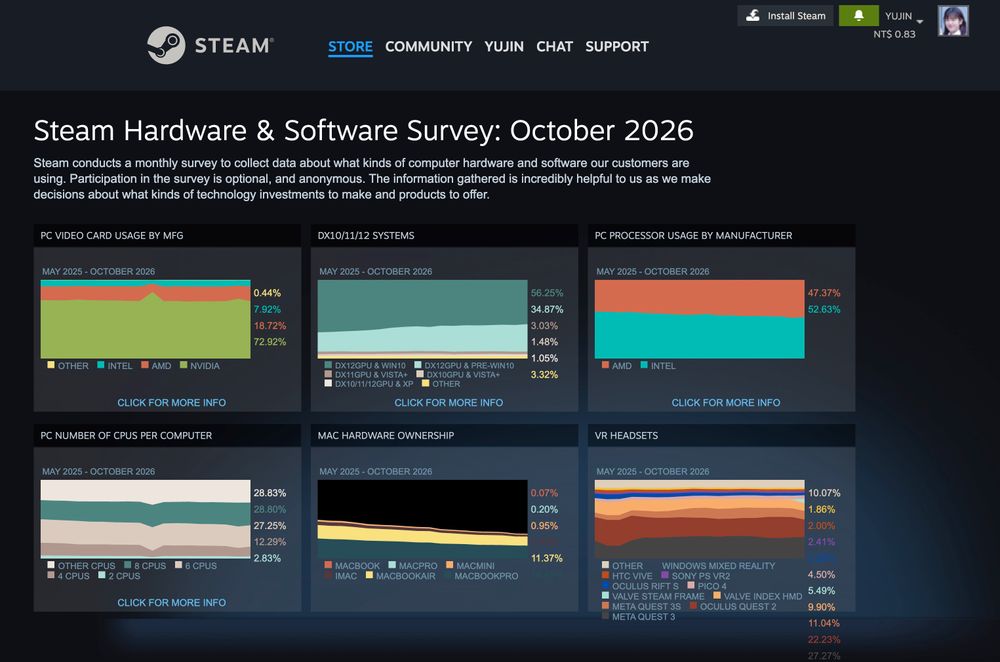
(Steam Hardware & Software Survey: October 2026)
Inside the Latest Steam Hardware Survey: Why the "Old Kings" Returned to #1
September’s survey made headlines for two reversals: 32GB of RAM briefly overtook 16GB for the first time, and the RTX 5070 jumped to the top of the GPU chart at 5.86%. TechPowerUp’s write-up of the October results is titled around the old leaders returning, and the numbers back that up.
What Changed in October
Survey item | October 2026 | Change |
|---|---|---|
16GB system RAM | 41.42% | +3.60 points |
32GB system RAM | 37.06% | −5.16 points |
GeForce RTX 3060 | 3.62% | +0.08 points |
GeForce RTX 5070 | 3.56% | −2.30 points |
1920 × 1080 display | 50.23% | +2.32 points |
2560 × 1440 display | 21.82% | −5.22 points |
Windows 11 | 72.51% | +1.17 points |
Linux | 3.95% | +0.90 points |
Among Windows CPUs, KitGuru reports Intel at 53.48% and AMD at 46.51%.
Why the Numbers Swung Back
Steam’s survey is optional and anonymous, so who responds in a given month moves the averages. In October, Simplified Chinese fell 9.41 points to 21.98% of respondents while English rose 4.84 points to 39.04%, which ShiftDelete suggests is the likely explanation for the swing. Guru3D adds a useful caution: the RTX 3060 returning to first place doesn’t prove a sudden shift in sales, and the top two cards are effectively neck and neck. On the Windows-only chart, TweakTown reports they’re tied at 3.78%.
What the Survey Doesn’t Tell You
Steam doesn’t pair hardware, so there’s no “RTX 3060 plus 16GB” line. It also lists one desktop RTX 3060 entry, with the laptop GPU counted separately. That matters because there are two desktop versions, which we’ll get to below.
Real-World 2026 Gaming Check: How Does an RTX 3060 + 16GB RAM Perform Today?
At 1080p, the graphics card is the limiting part in most modern games, so results depend heavily on settings. The figures below come from published roundups and estimates, not our own testing, so treat them as ballparks.
Scenario | Typical result | Source note |
|---|---|---|
Average of 20 popular games 1080p High | About 95 FPS | Evetech roundup |
Black Myth: Wukong 1080p | About 45–55 FPS | Evetech lists it among the toughest tests; CheckFPS estimates about 45 FPS at Ultra and about 59 FPS at High |
Monster Hunter Wilds 1080p Ultra | About 48 FPS (estimate) | Overclock3D found the first GPU to average over 60 FPS with DLSS/FSR Quality at Ultra was the RTX 3070 Ti |
20-game average 1440p Ultra, native | About 37 FPS (estimate) | CheckFPS |
How DLSS Helps (and Where It Doesn’t)
DLSS Super Resolution works on all GeForce RTX GPUs, but DLSS Frame Generation is limited to RTX 40 series and newer, so the RTX 3060 can’t use it. CheckFPS estimates that DLSS Quality lifts the 1080p Ultra average from about 48 to about 60 FPS.
One tip for RTX 30 owners: NVIDIA’s second-generation transformer model in DLSS 4.5 carries a bigger performance cost on older cards, and HWBusters reports NVIDIA suggests RTX 20 and 30 users may prefer the DLSS 4 model. In practice, aim for medium-to-high settings, DLSS Quality, and skip heavy ray tracing.
Why the 12GB RTX 3060 Aged So Well—And Where 16GB RAM Hits the Wall
If you look at the two halves of Steam’s most popular parts, one has aged better than the other.
The Secret Weapon: 12GB of VRAM
The original RTX 3060 has 12GB of GDDR6 on a 192-bit bus, giving 360 GB/s of bandwidth. The later 8GB version drops to a 128-bit bus and 240 GB/s, and HotHardware measured it averaging roughly 17% slower. Because Steam doesn’t separate the two, check which one you own in Task Manager’s Performance tab under GPU.
VRAM also matters in new games. In Overclock3D’s testing, an older 6GB card couldn’t run Monster Hunter Wilds at anything close to playable performance. That’s part of why the 12GB RTX 3060 has held up better than its raw speed alone would suggest.
The Real Chokepoint: 16GB System RAM
TechSpot’s 2026 testing found that 16GB, 32GB, and 64GB configurations delivered largely the same average frame rates and 1% lows in the games it tested, while 8GB struggled with frame pacing. In one test, a game used up to about 13.5GB on its own. TechSpot also found that cards with only 8GB of VRAM leaned much harder on system memory, with 32GB improving 1% lows by more than 60% in one case.
TechSpot didn’t test an RTX 3060, so this is an inference, but a 12GB card should put less pressure on system RAM than an 8GB one. Where 16GB gets tight is multitasking: a browser, Discord, game launchers, and streaming software all compete with the game for memory.
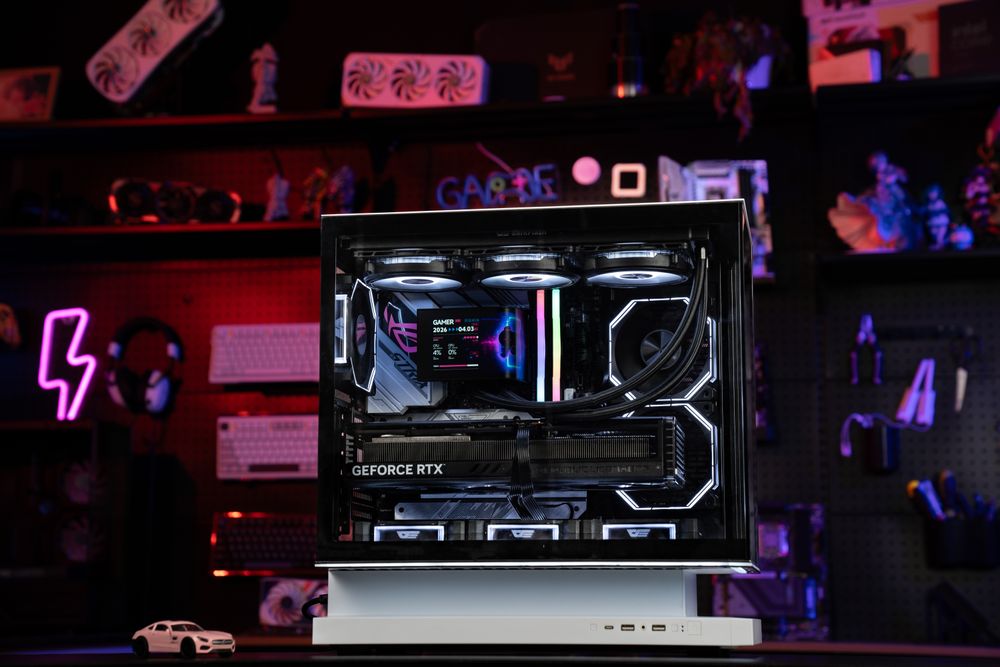
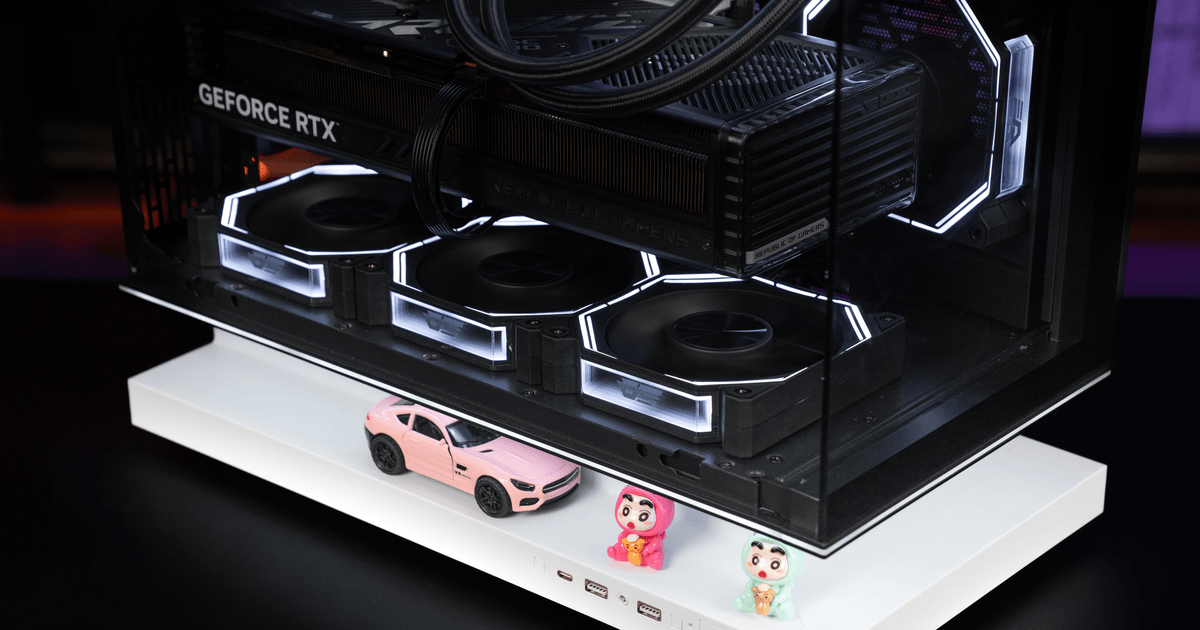
(darkFlash FLOATRON F1 ATX PC Case)
Smart Upgrade Roadmap: How to Refresh Your RTX 3060 Rig for 2026 and 2027
If you’re one of the many gamers on this hardware, you don’t need to start from scratch. Work through these steps in order, cheapest first.
1. Reclaim Lost Performance by Fixing Thermals and Case Airflow
Most RTX 3060 systems are several years old now. Dust-clogged filters, dried-out CPU paste, and a cramped case can push temperatures up and make fans louder. Clean the filters and heatsinks, replace old thermal paste if your CPU runs hot, and make sure the case has clear intake and exhaust paths. It costs little or nothing and is worth doing before you spend money on parts.
2. Check Your RAM Before You Buy More
Open Task Manager with Ctrl + Shift + Esc, go to Performance, and watch Memory while you game. If usage stays near the ceiling and you see hitches when you alt-tab or enter a new area, more RAM will help. If not, skip it.
Pricing is the catch. In recent tracking, a 32GB DDR5 kit has cost roughly $380 to $480, while DDR4 is generally cheaper but has risen too. If you do upgrade, buy a matched pair so the memory runs in dual channel.
3. Prepare Your PSU and Case Before the GPU Jump
If you’re replacing the power supply anyway, the darkFlash UMT 850W supports ATX 3.1 and PCIe 5.1, carries 80 PLUS Gold and Cybenetics Platinum certifications, and uses fully modular cables. For the case, the FLOATRON F1 ATX fits graphics cards up to 415 mm and the DY460 up to 400 mm, which covers most current mid-range cards.
Frequently Asked Questions (FAQ)
Can an RTX 3060 still run new AAA games at 1080p?
Most of them, with adjustments. Published results suggest it averages around 95 FPS at 1080p High across popular games, but the heaviest titles, such as Black Myth: Wukong and Monster Hunter Wilds, fall below 60 FPS at native Ultra. Dropping to medium-to-high settings and turning on DLSS Quality gets you much closer to 60.
Why is the RTX 3060 12GB better than the 8GB or laptop version?
The 12GB desktop card has a 192-bit bus and 360 GB/s of bandwidth, compared with 128-bit and 240 GB/s on the 8GB version, which averaged about 17% slower in HotHardware’s testing. The laptop RTX 3060 has 6GB of VRAM.
Should I upgrade my CPU or my RTX 3060 first?
Check what’s limiting you. If your GPU sits near full usage during gameplay, a graphics card upgrade will help most. If the GPU is underused while one CPU thread is maxed out, especially in competitive shooters at high refresh rates, a CPU upgrade makes more sense. Keep in mind that moving to a platform that needs DDR5 means paying today’s elevated memory prices.
Why did 16GB RAM overtake 32GB again in the October Steam Survey?
Valve’s survey is optional and anonymous, so changes in who takes part can shift results from month to month. October saw a big drop in Simplified Chinese respondents and a rise in English ones, which likely explains much of the swing.
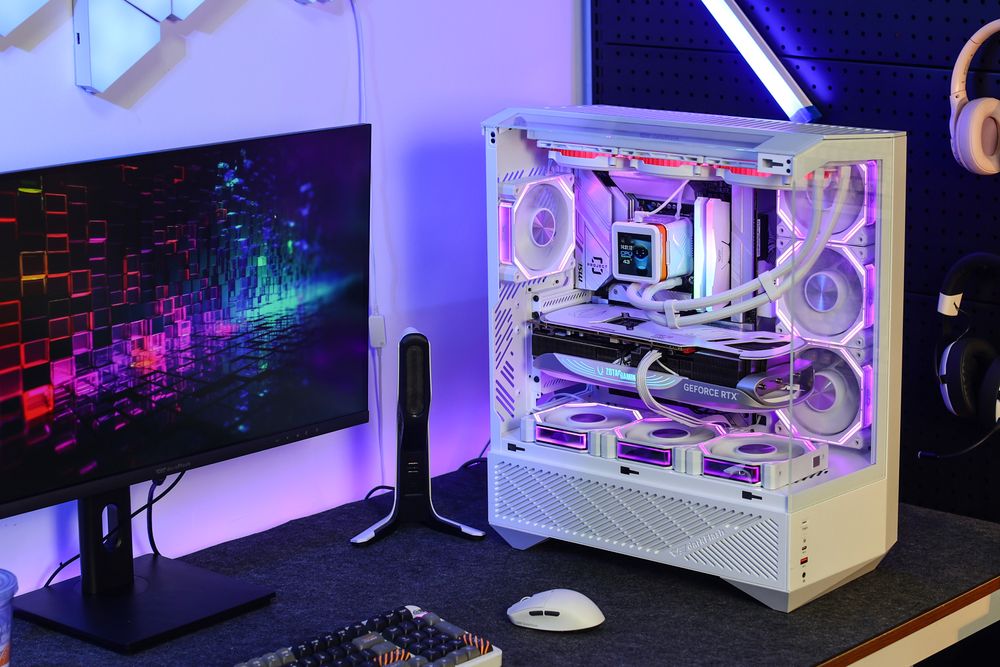
(darkFlash DY460 ATX PC Case)
Conclusion: The People's Champion Still Has Plenty of Fight Left
Steam’s October 2026 numbers show that you don’t need a flagship rig to enjoy PC gaming. An RTX 3060 with 16GB of RAM on a 1080p monitor still sits right where most Steam players are. Keep background apps lean, use DLSS where it helps, keep the system clean and cool, and upgrade in order: check thermals first, test your RAM, and only then plan the GPU, power supply, and case.